

Appeeky
Product Design · 2026
Appeeky is an all-in-one mobile app growth, analytics, and marketing platform designed to help developers and publishers track performance and scale mobile applications.
Marketing Website · 2026
Hero section
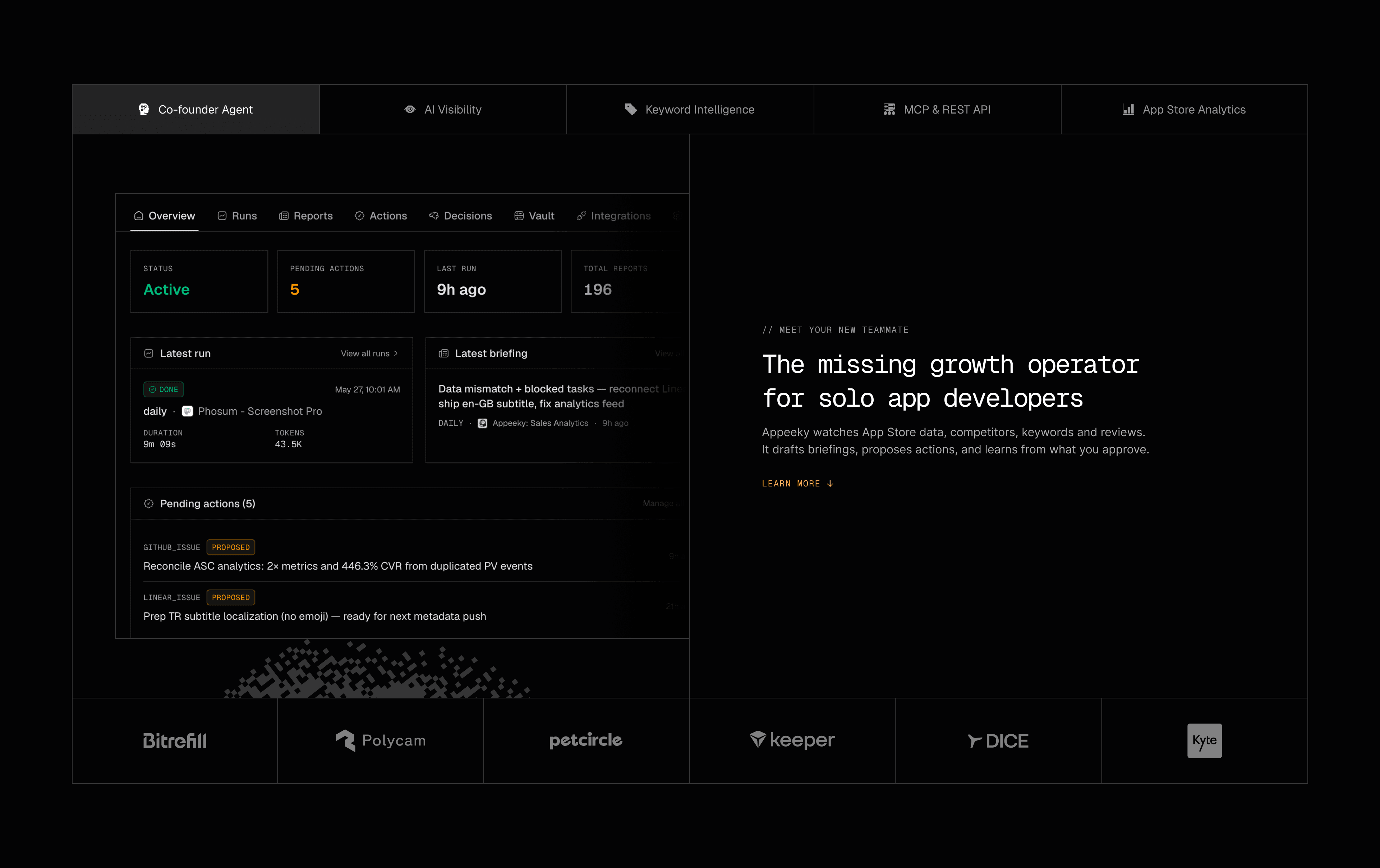
Feature Tabs
Bento Grid
Some animations were made in Jitter and exported as Lottie, others were built with Claude Code.
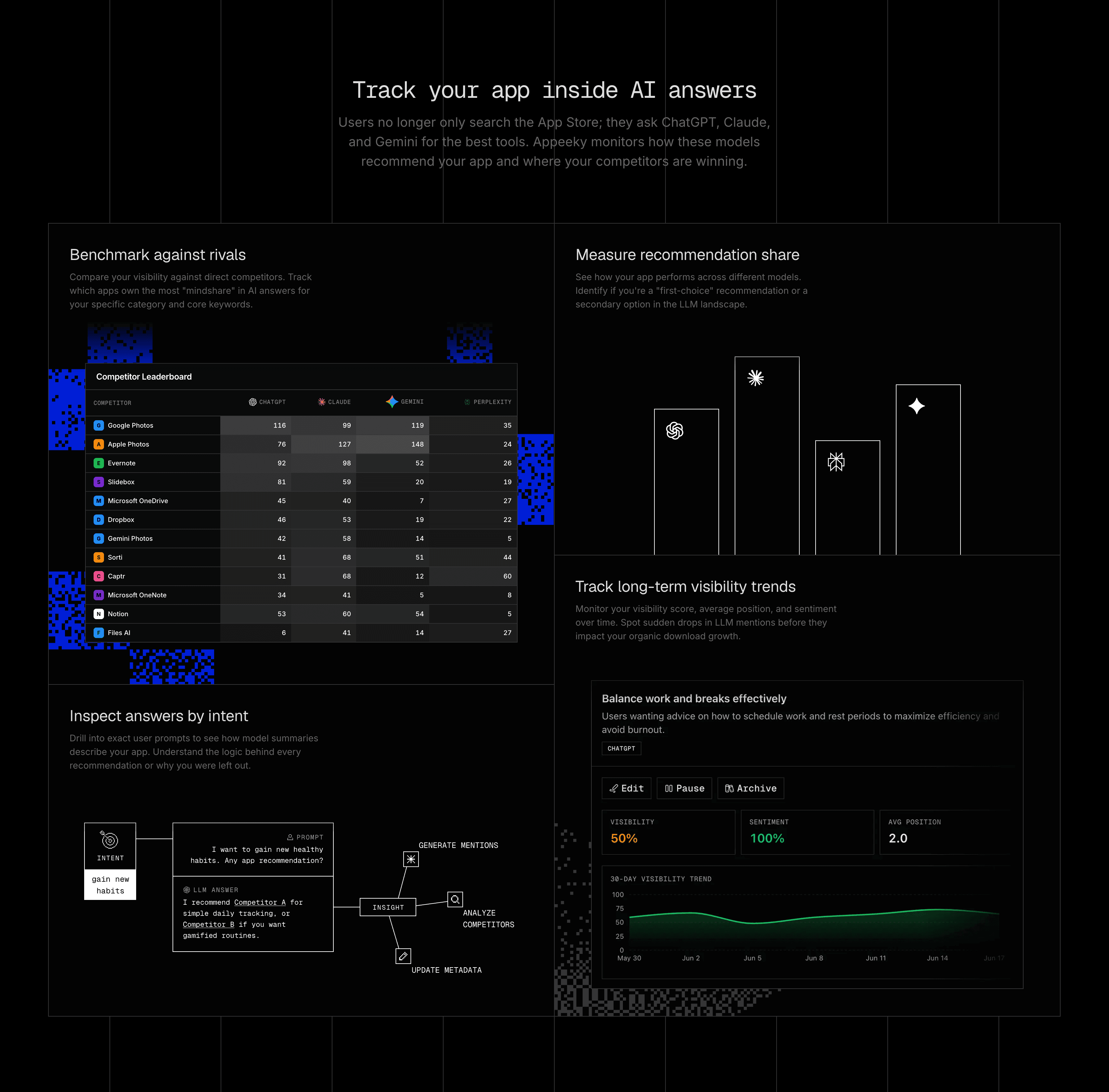
Feature Grid
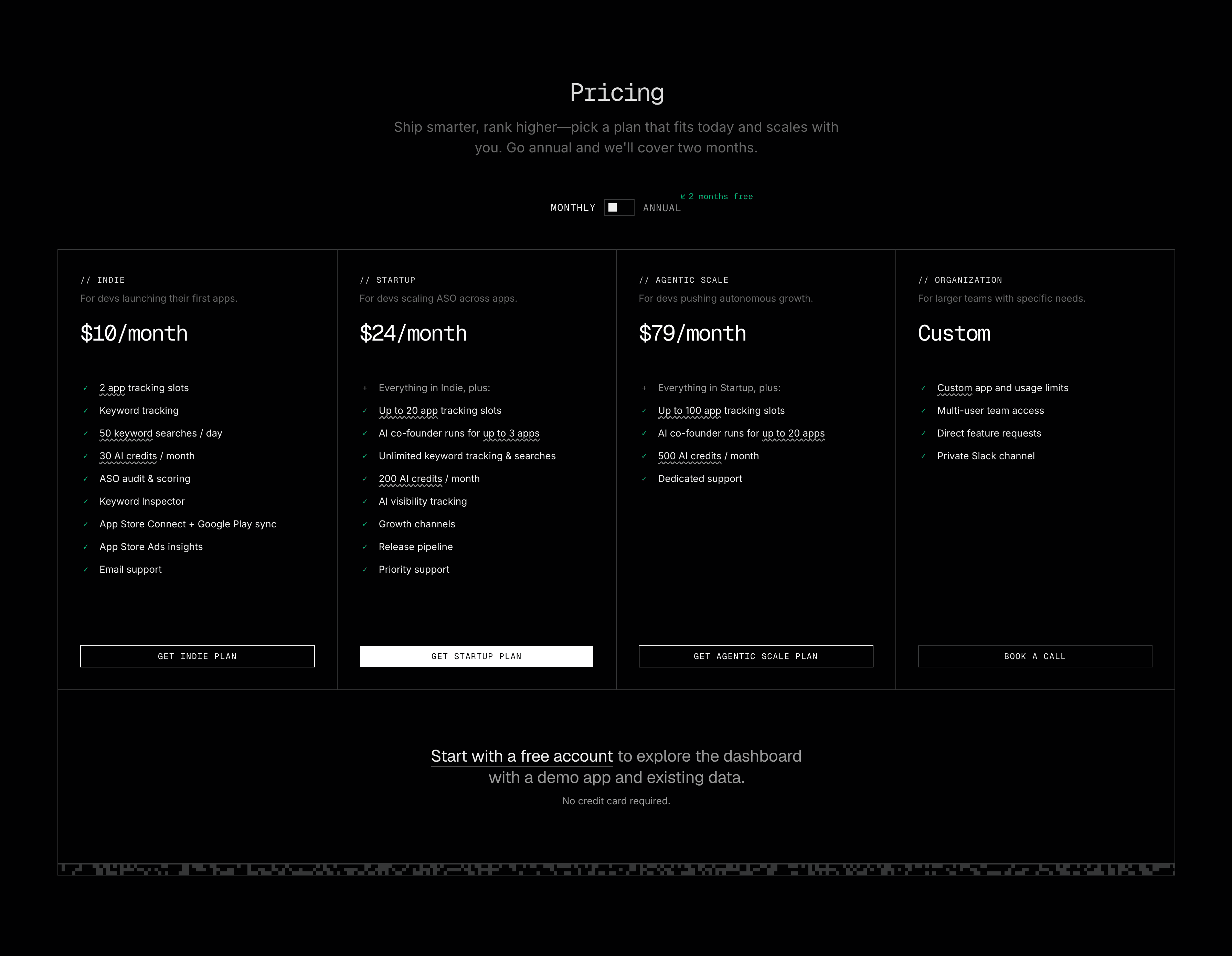
Pricing
Kasetti
Side Project · 2026
A retro voice recorder for iPhone. Pull up to record, read live captions as you speak, and keep every memo as a styled cassette tape on your shelf.
View on the App Store ↗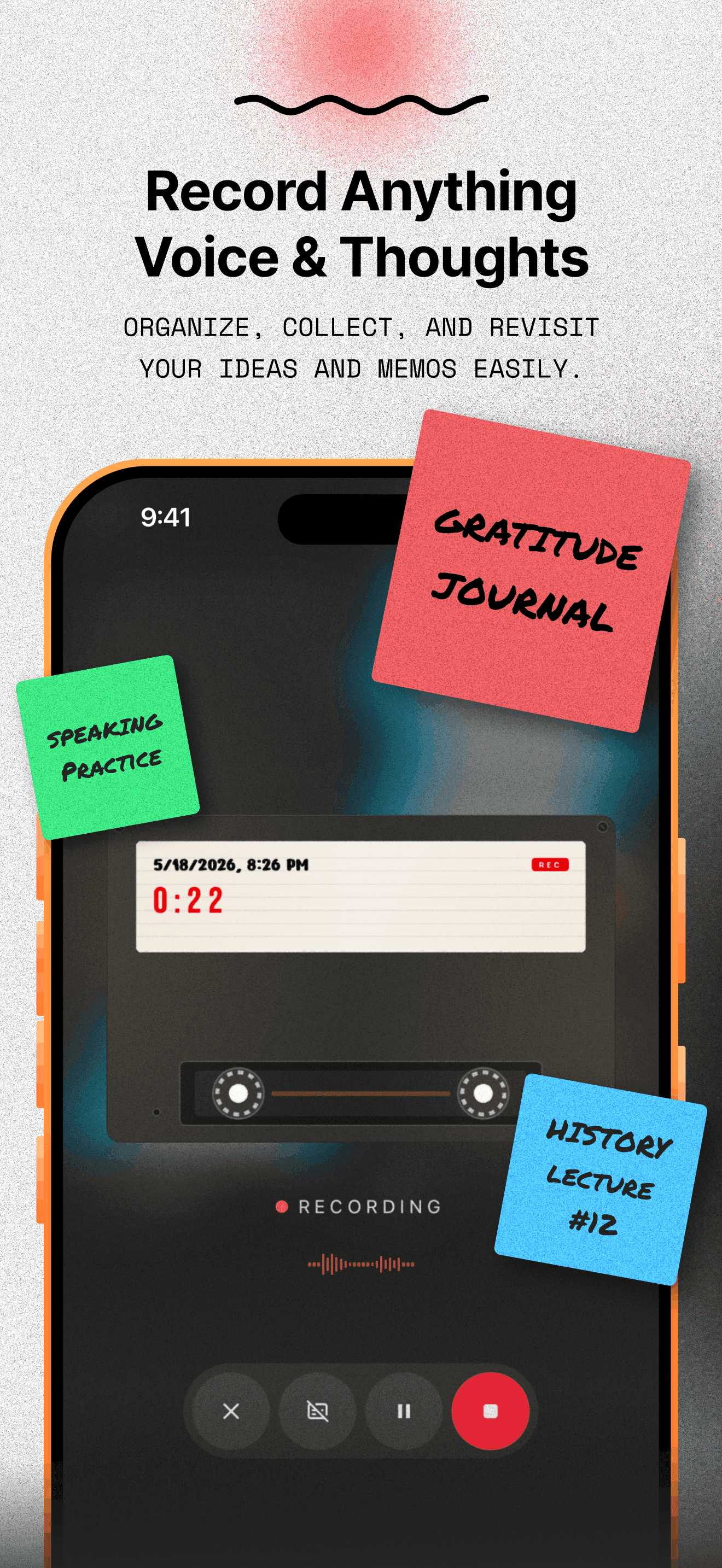
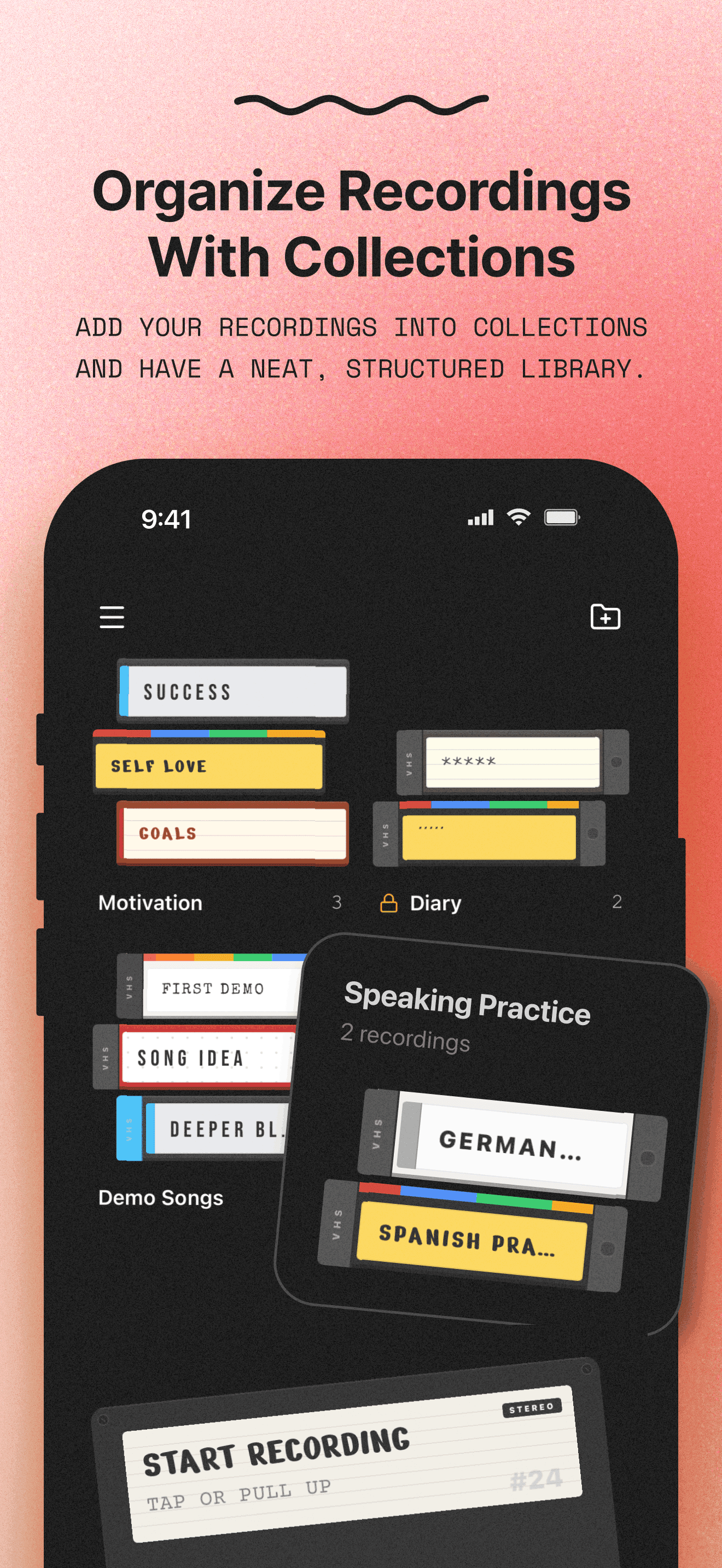
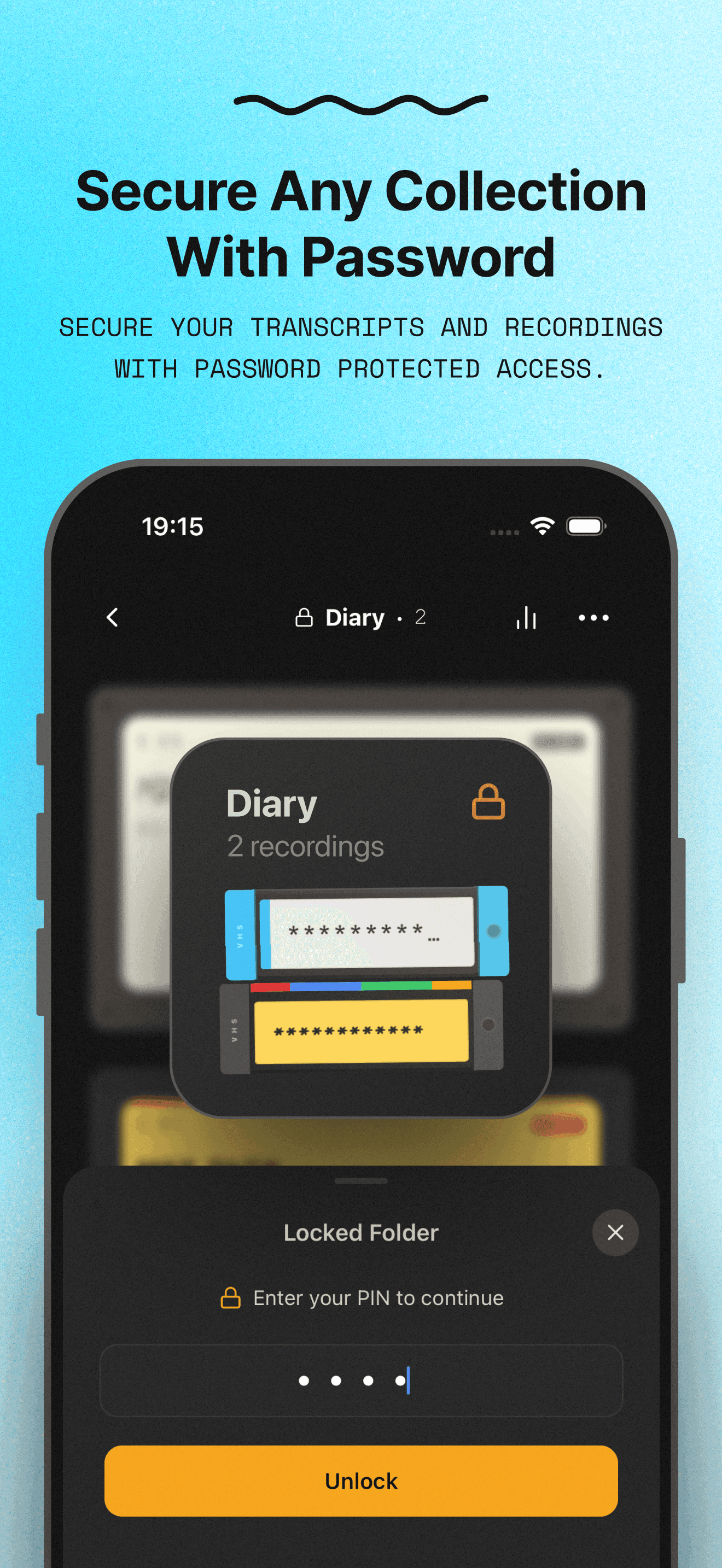
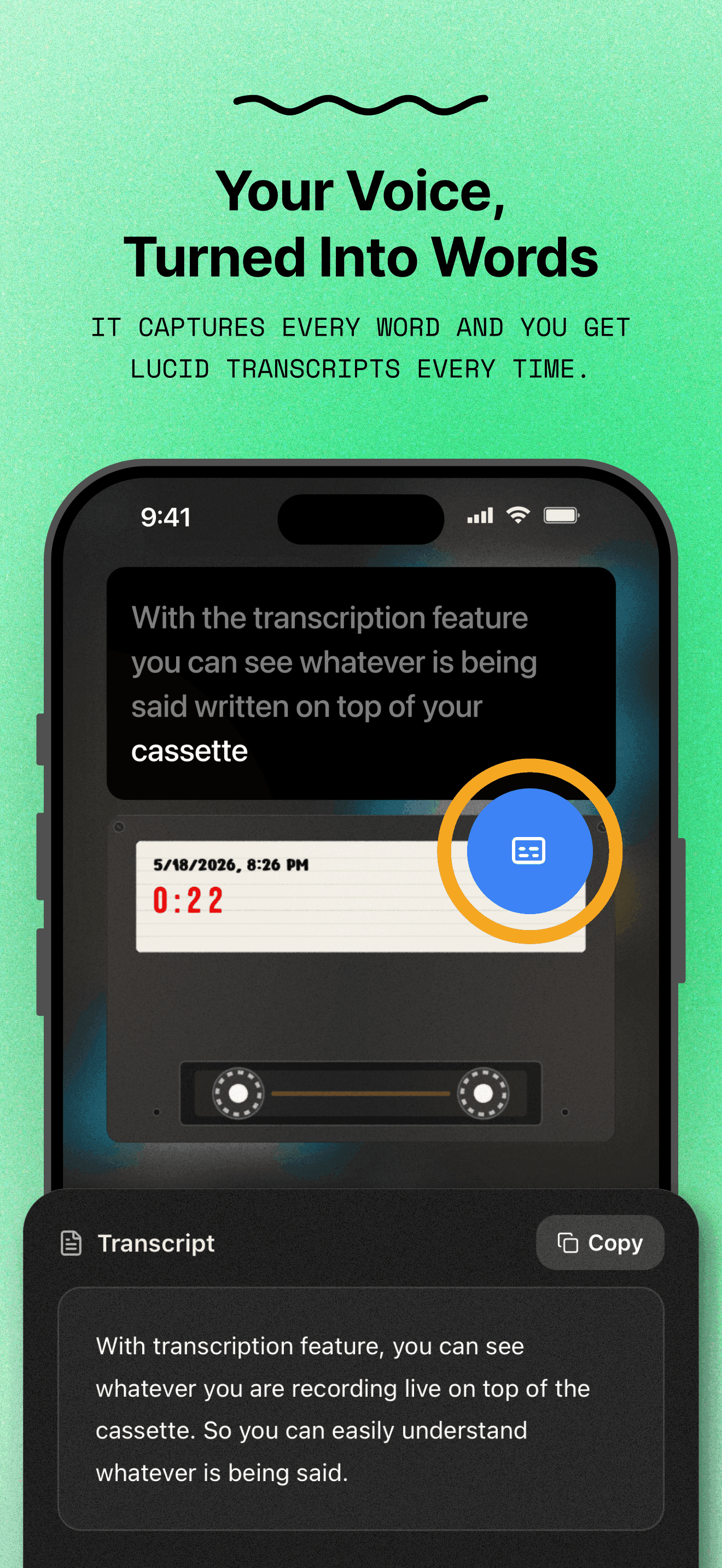
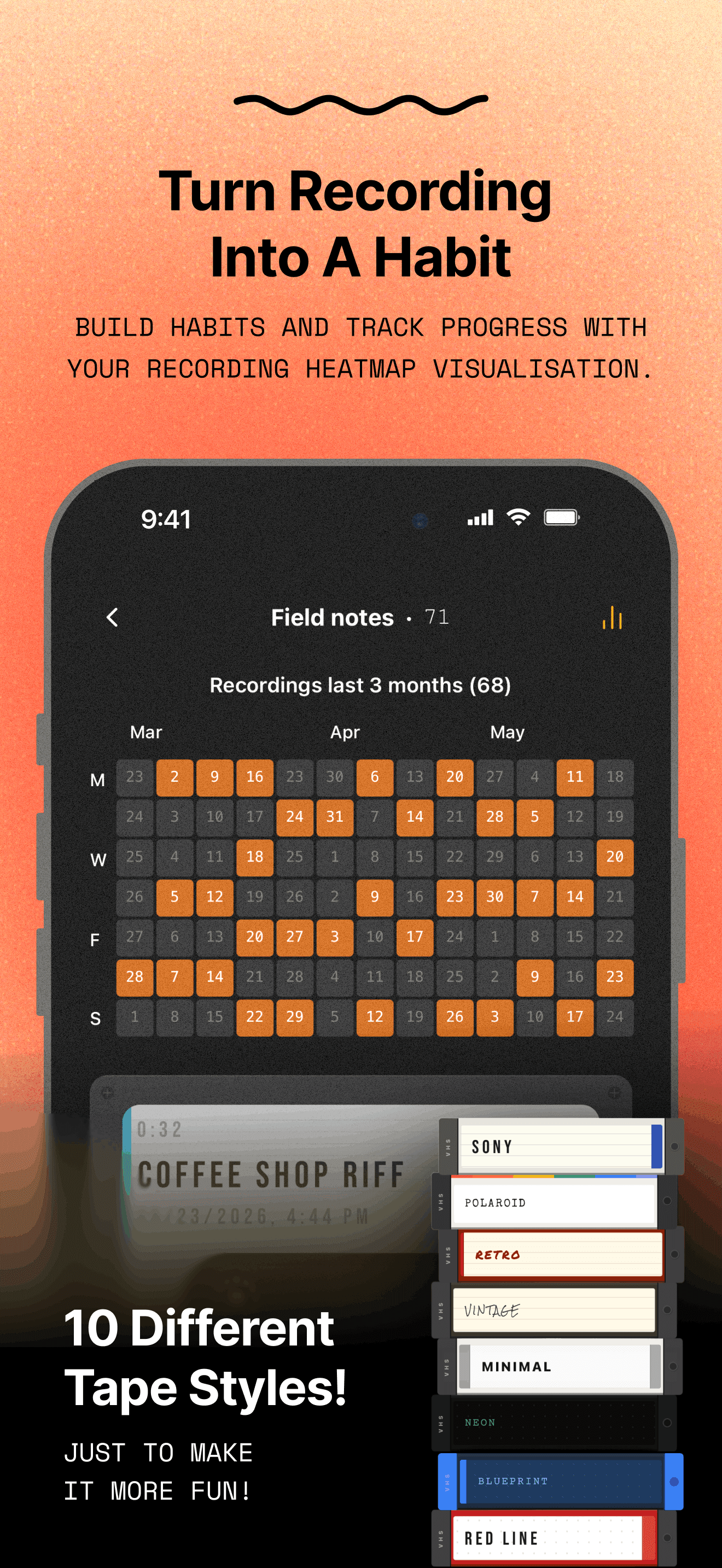
Walkthrough and App Store screenshots
Pull-up-to-record, a shelf of tape styles from Classic to Polaroid, transcripts in 10 languages and PIN-locked collections.
Hygraph
Product Designer · 2022–2026 · 4 years
For four years I designed Hygraph, a headless CMS used by developers and enterprise content teams. I shaped core editorial and developer features, and led the rebuild of Baukasten 2.0, Hygraph's design system. Most of my work was turning a deeply technical dev tool into something editors could use with confidence.
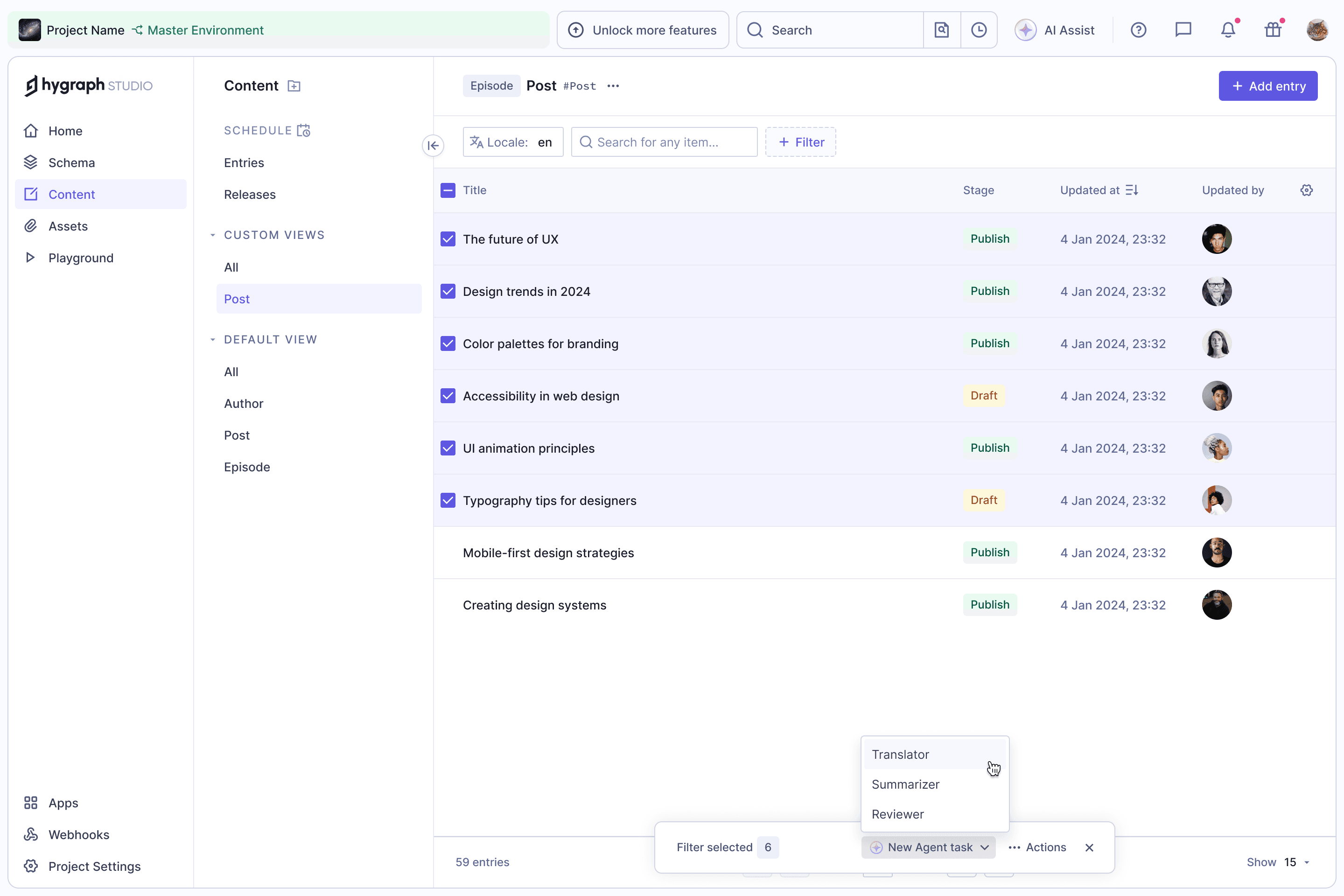
Agent Tasks · 2026
Start from the Entry List
Select entries in the list and hand them to an agent as a one-off task, picking Translator, Summarizer or Reviewer from the bulk actions bar.
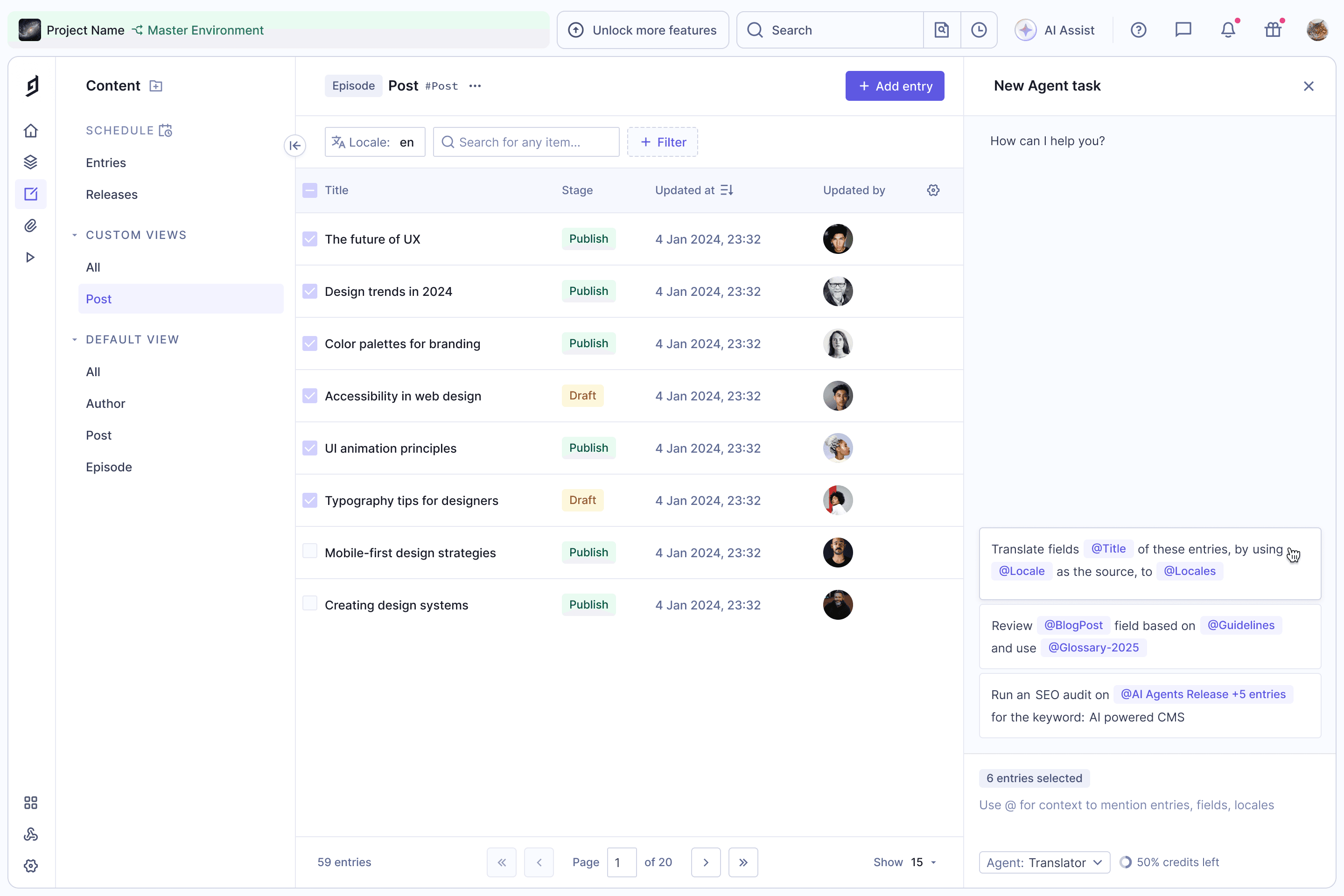
Suggested Tasks
The task panel opens with prompts for the chosen agent, already filled in with the selected entries, so editors don't start from a blank box.
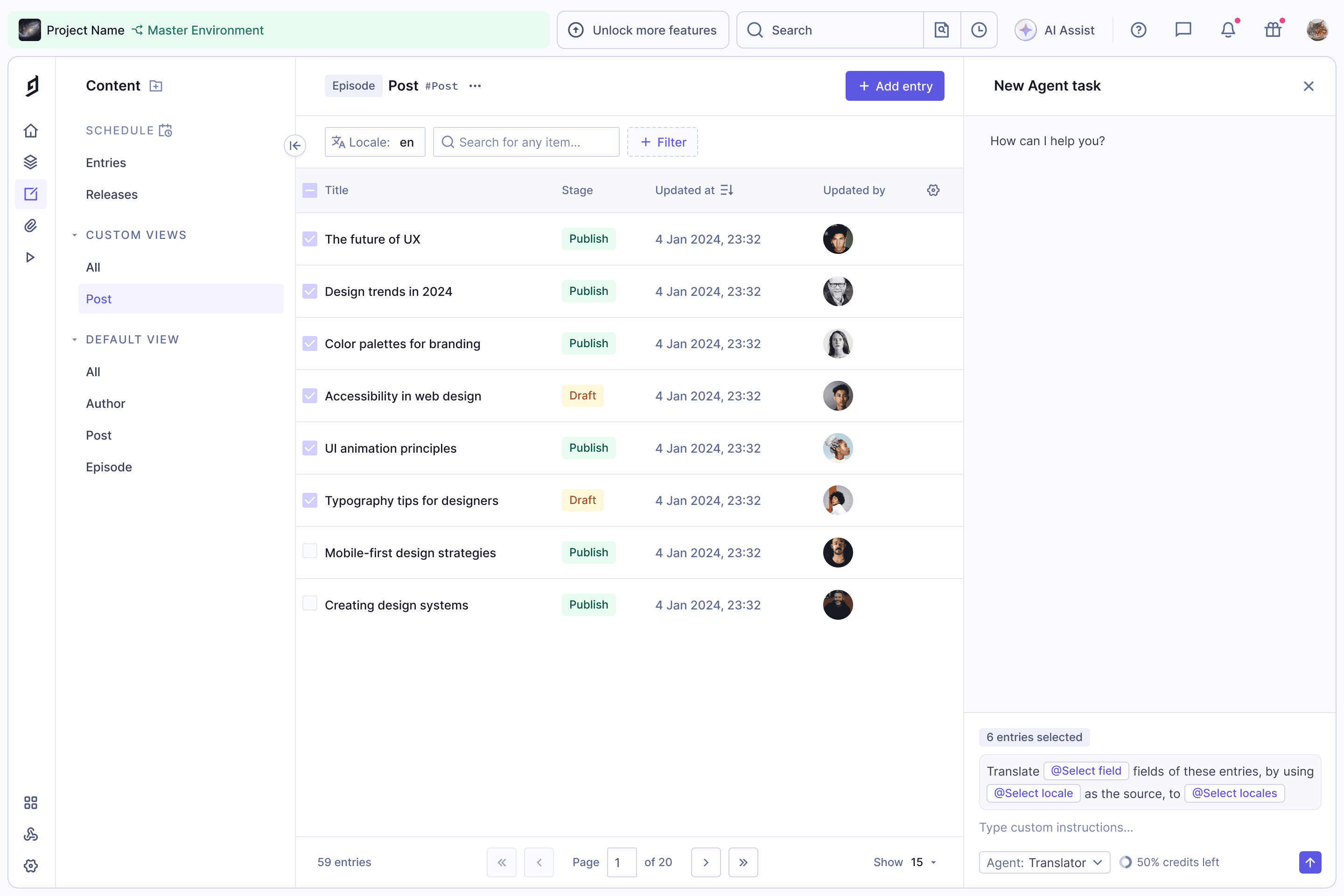
Prompt with Placeholders
Picking a suggestion turns it into a prompt with placeholders for the fields and locales still to be chosen, plus room for custom instructions.
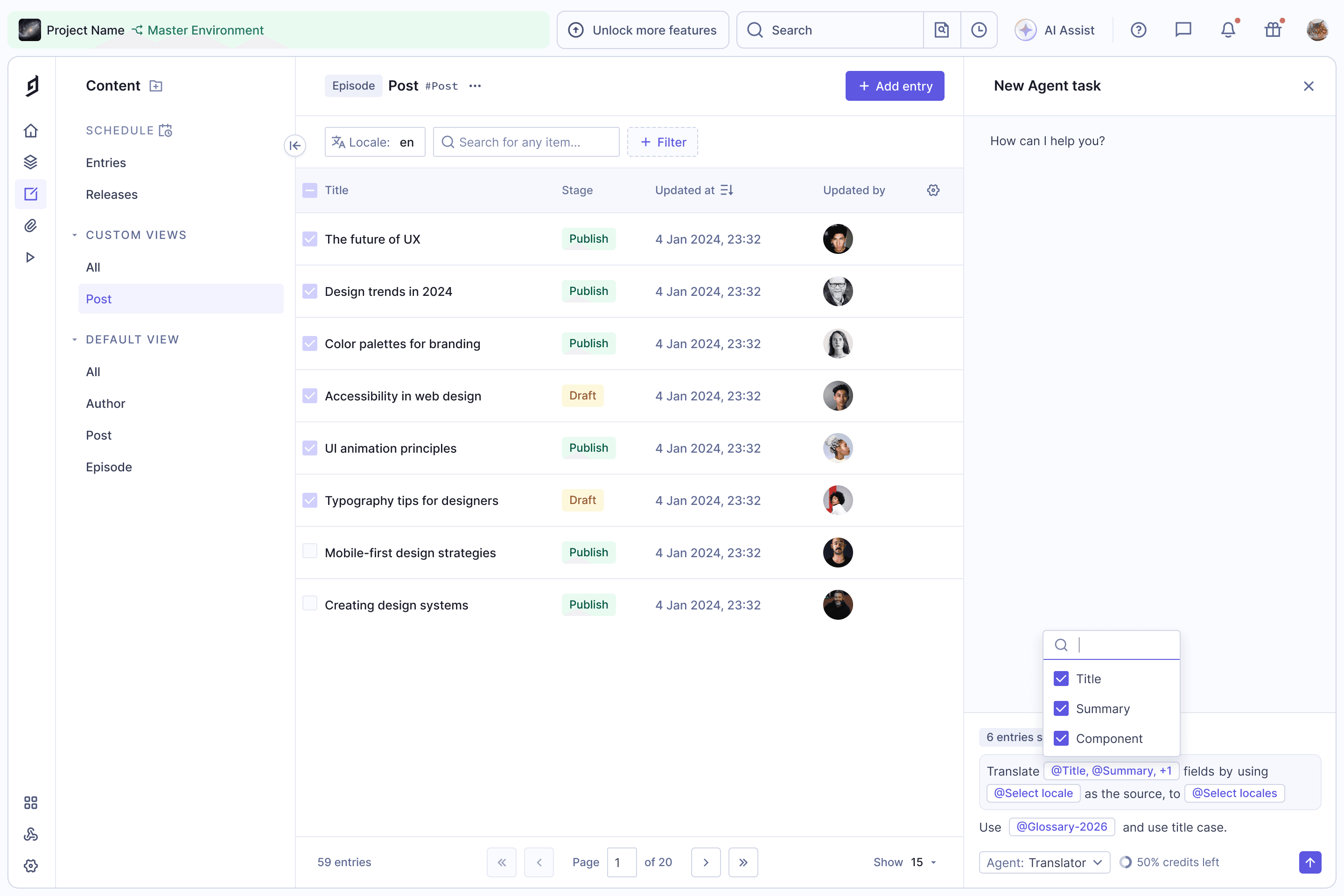
Mentions
Placeholders open as pickers, and @ mentions pull in fields, locales or other entries like a glossary, so the agent gets exact context instead of guesses.
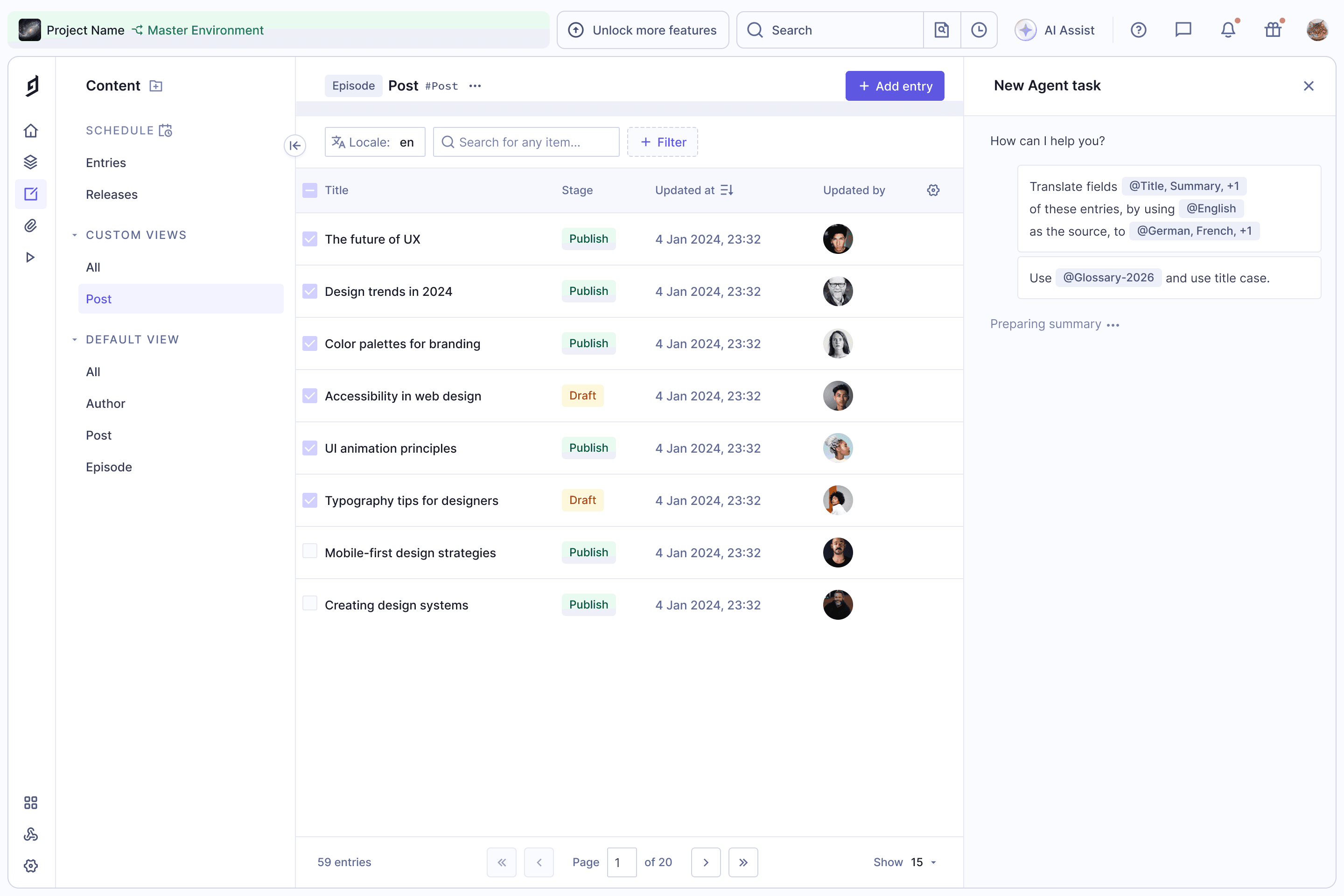
Running the Task
Once sent, the request stays readable with its mentions, and the agent prepares a summary of what it will change before anything is applied.
AI Agents · 2025
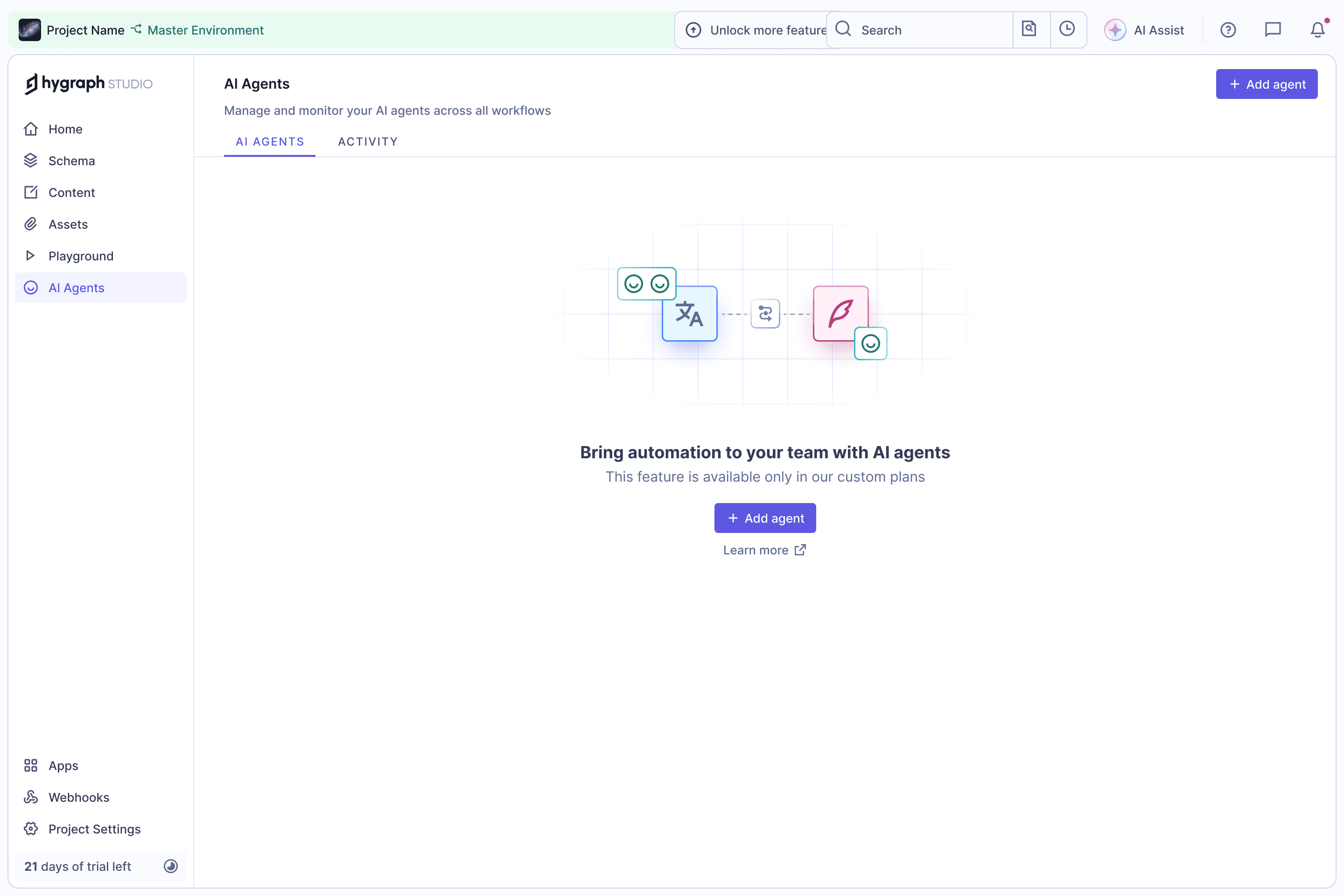
Empty State
AI agents automate repetitive content work like translating or summarising. The empty state explains the idea and gets teams to their first agent.
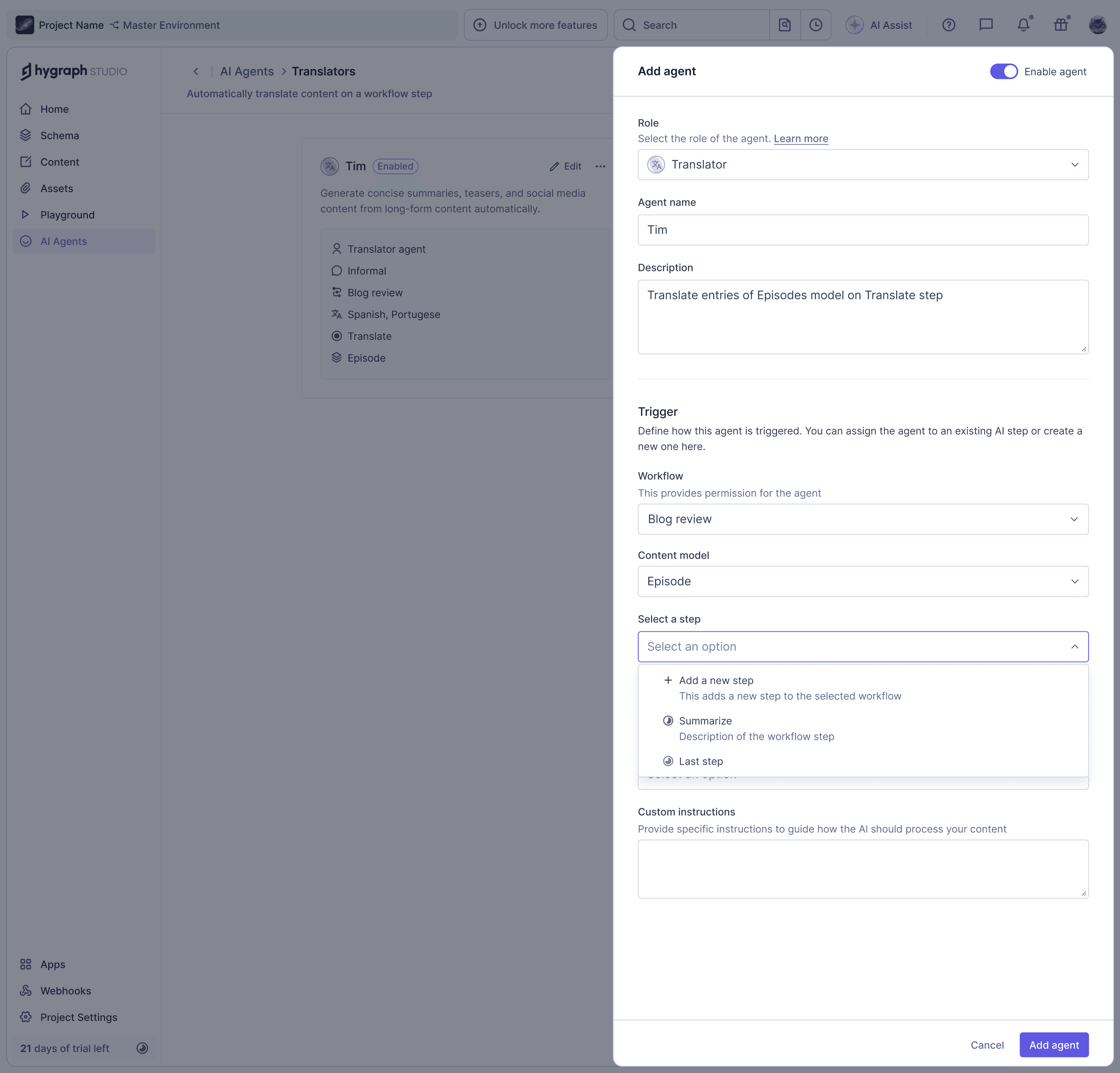
Add Agent
Each agent has a role, a name and a trigger: a workflow, a content model and the step it runs on. Steps can be picked from the workflow or created right here.
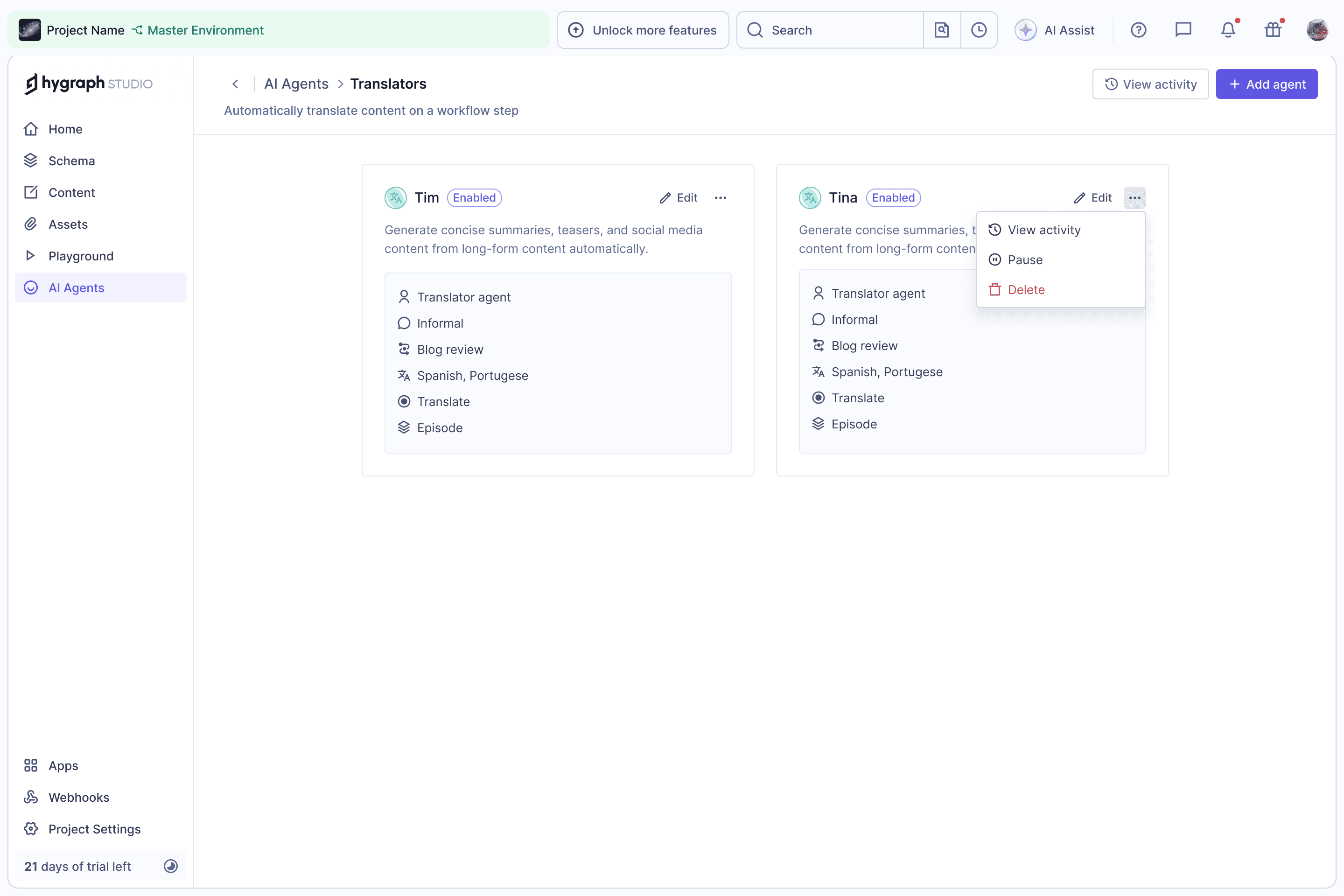
Agents by Role
Agents are grouped by role, each card summarising its tone, workflow, locales, step and model, with activity, pause and delete close at hand.
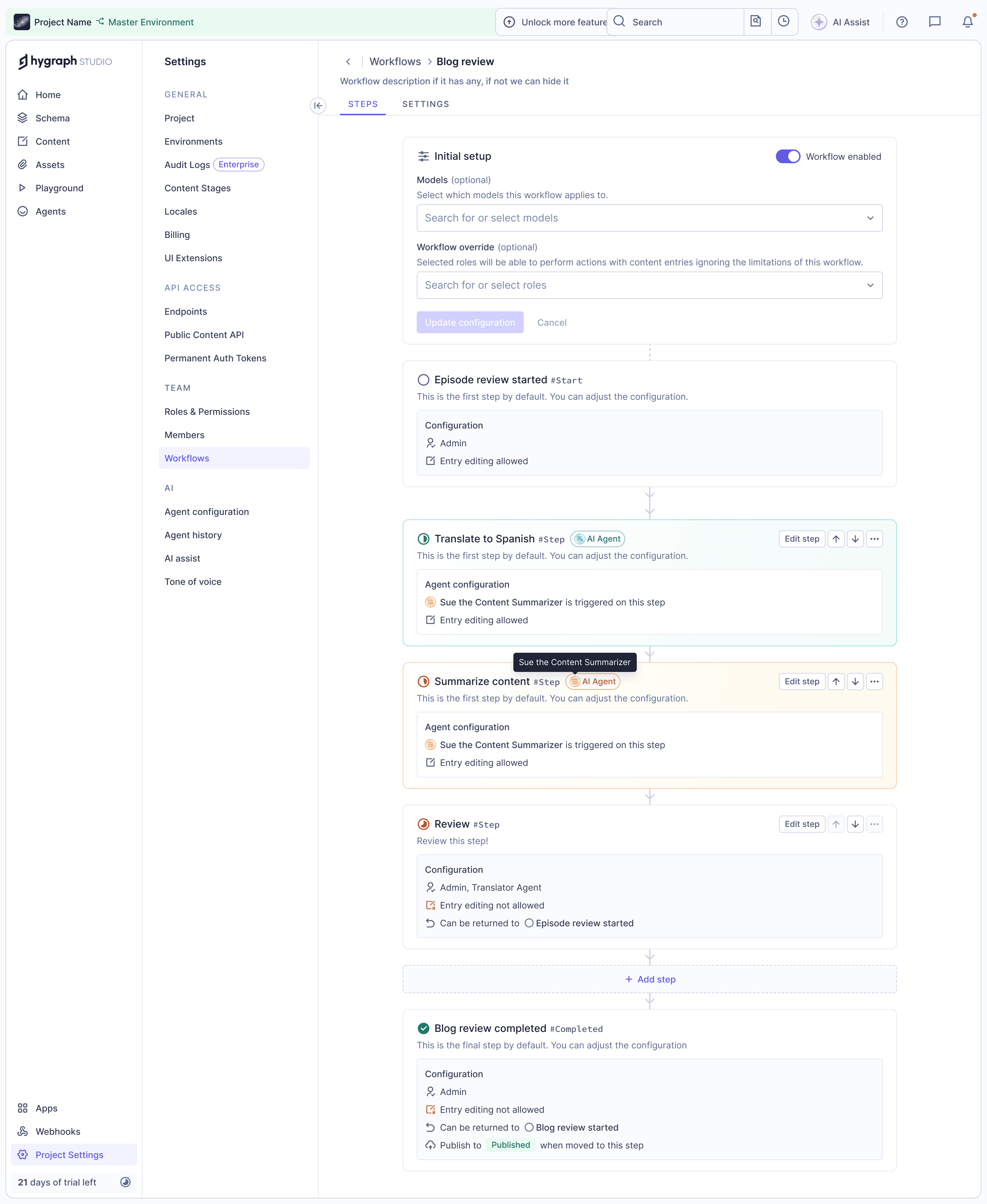
Agents in Workflows
In the workflow settings, AI steps are marked and colour-coded by agent, so it's clear where in the review process each agent takes over.
AI Assist · 2025
Content Form Actions
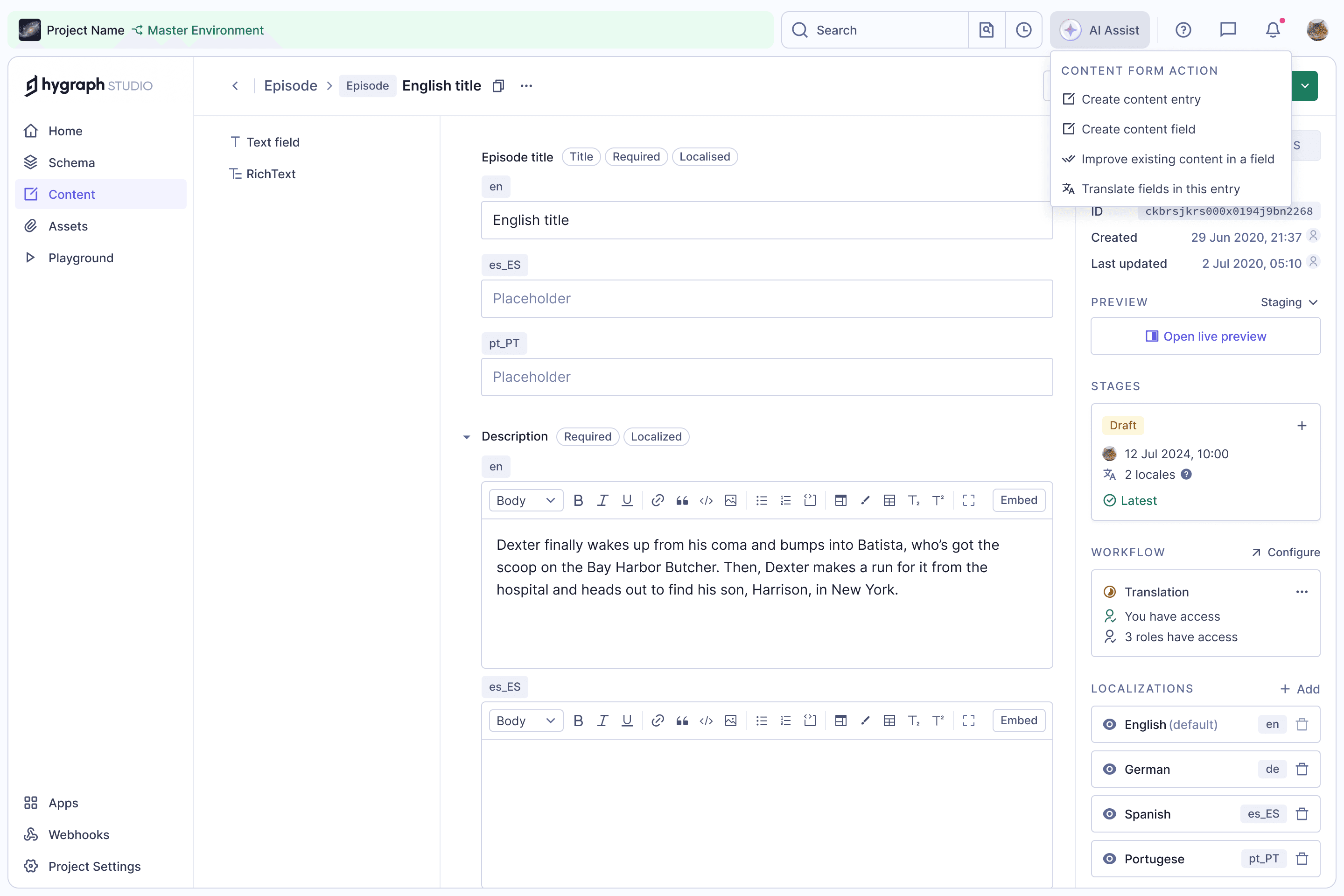
AI Assist brings AI into the content form for the work editors do by hand: creating entries and fields, improving copy in a field, or translating the whole entry.
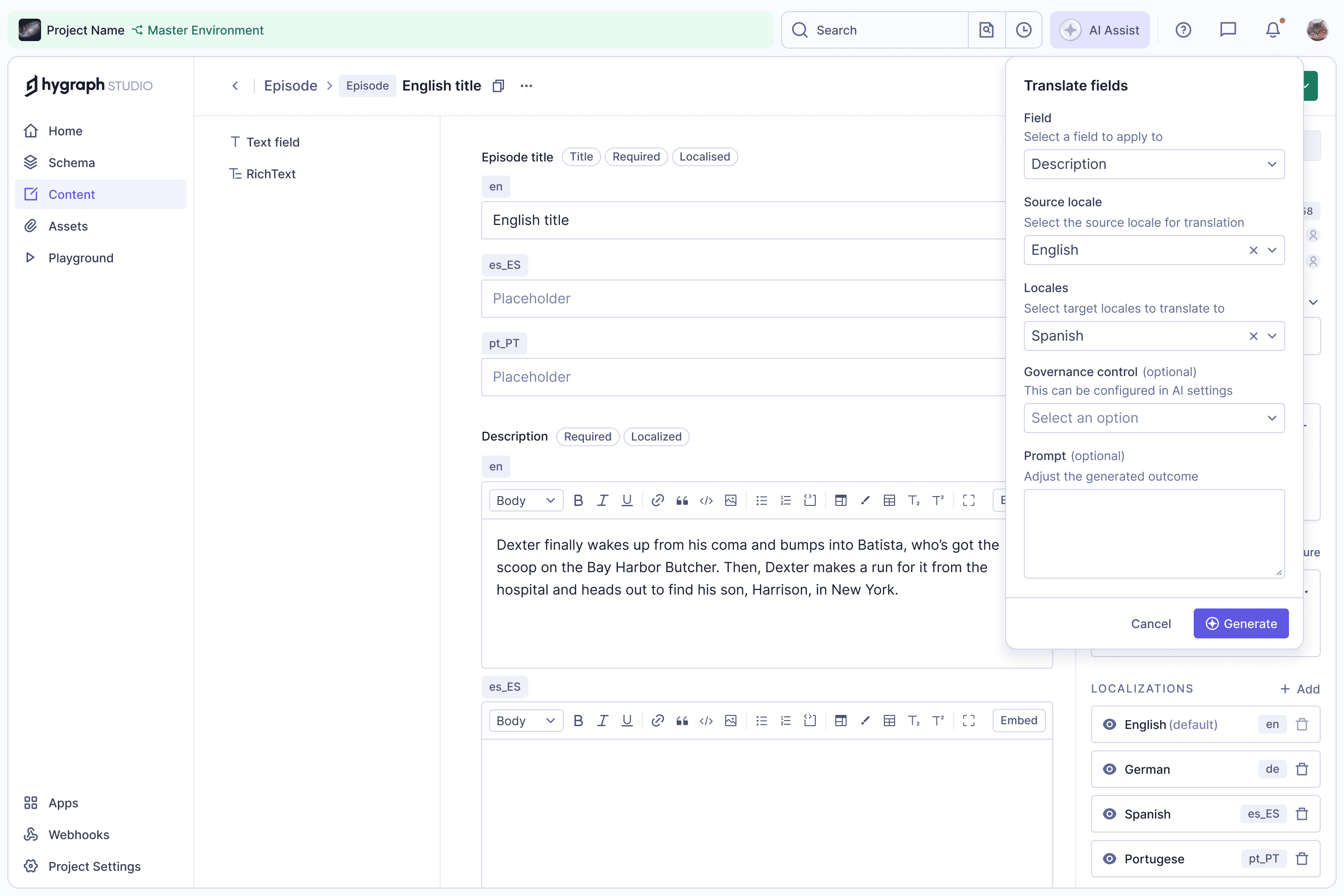
Translate Fields
Each action opens a short form: the fields, source and target locales, an optional governance control set up in AI settings, and an optional prompt to steer the result.
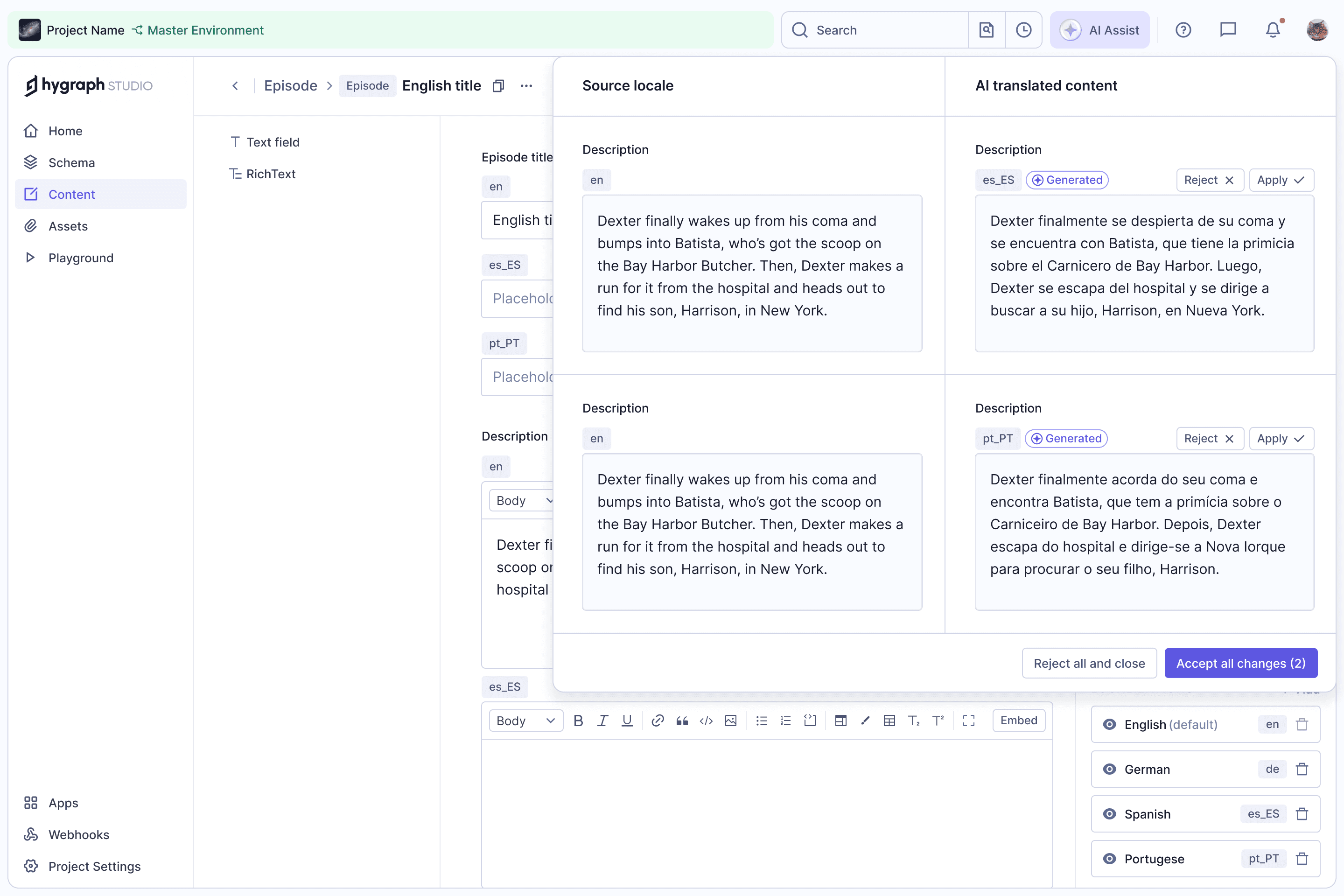
Review Before Applying
Translations come back next to the source, marked as generated. Editors apply or reject each one, or all at once, so nothing changes the entry without a review.
Click to Edit · 2025
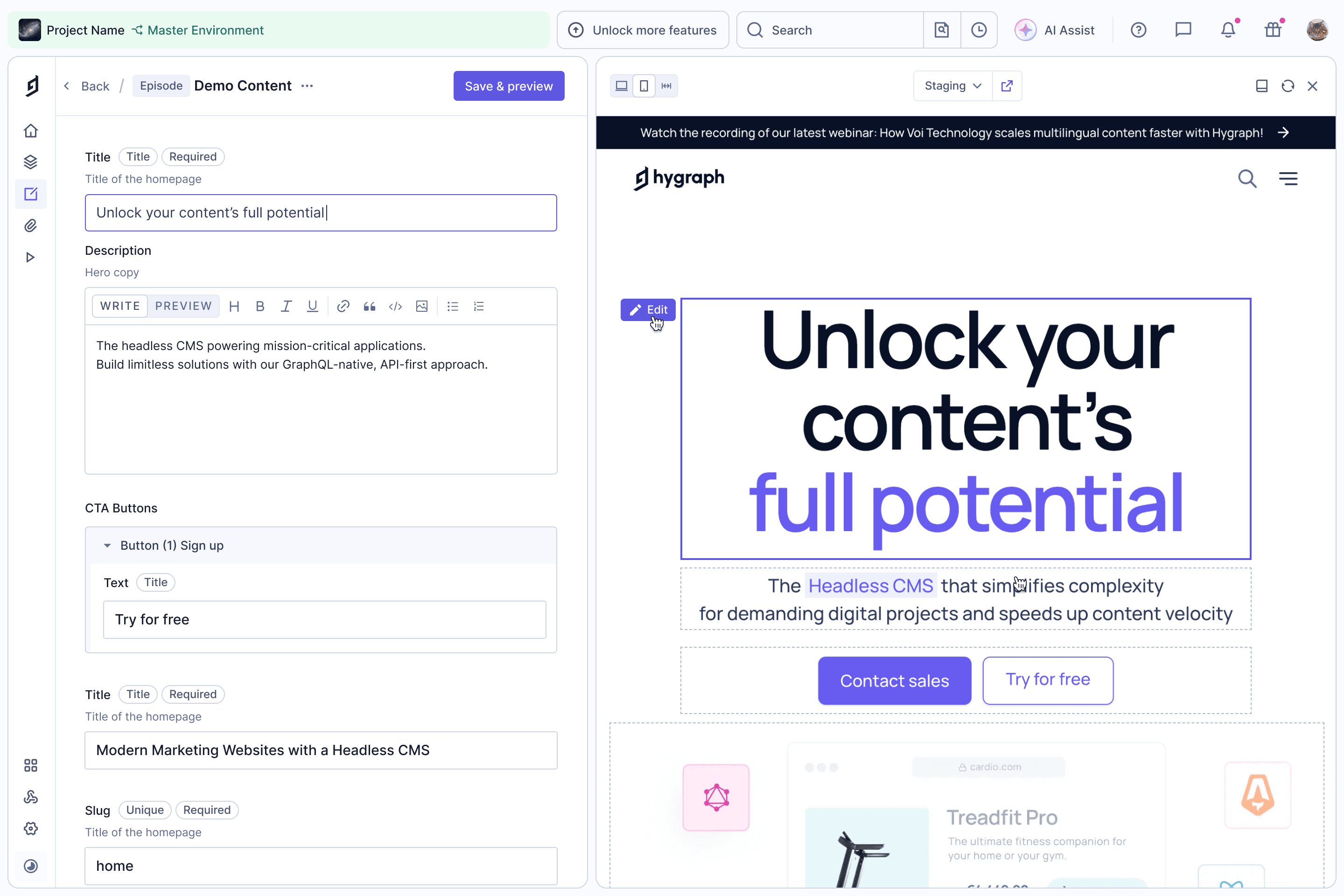
Edit from the Preview
Click to Edit builds on Live Preview. Editors hover over any part of the page in the preview, press Edit, and land on the matching field in the content form, already focused.
No more hunting through long forms to find which field renders where. Save & preview refreshes the page to show the change.
Preview Error State
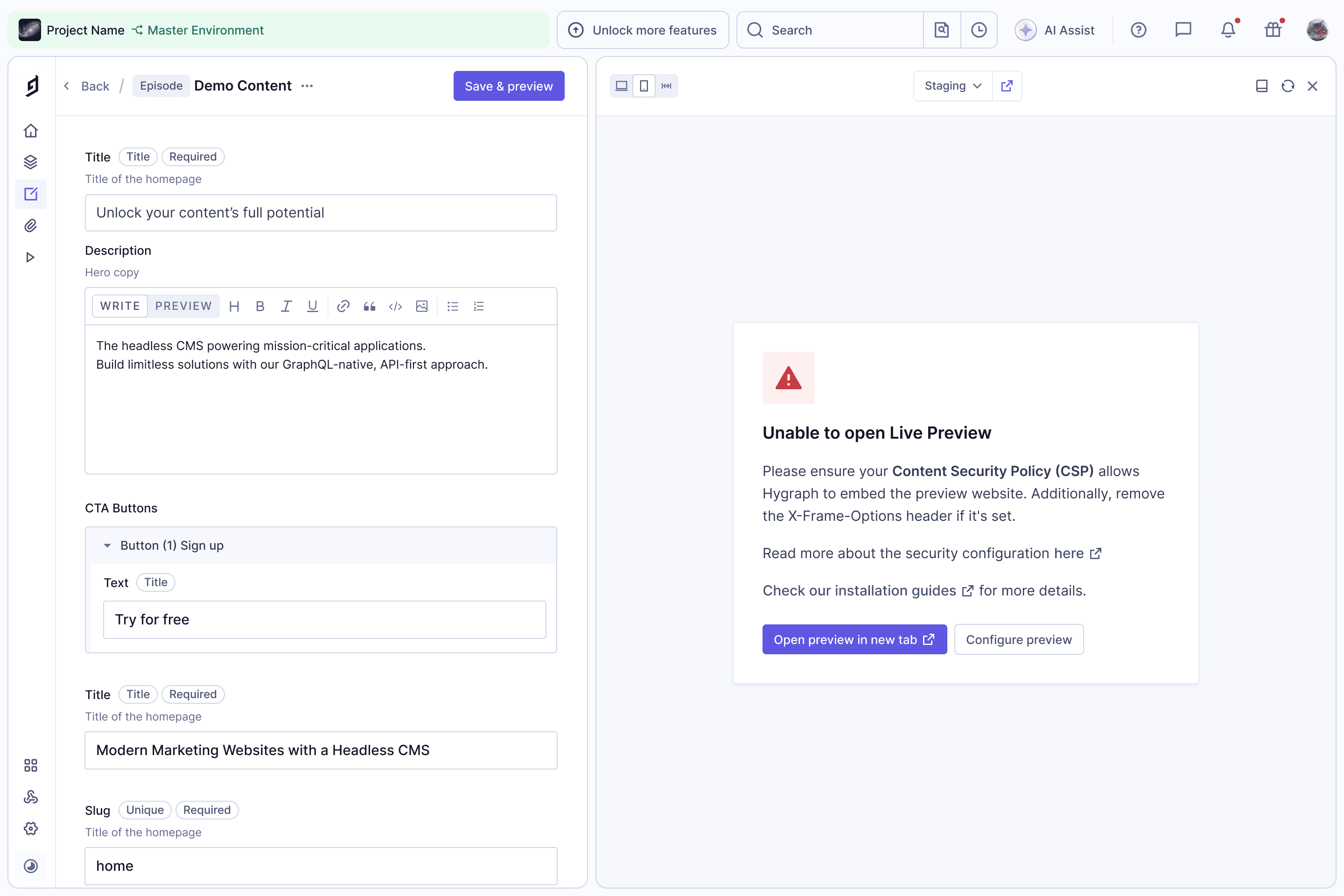
The most common reason Live Preview fails is the site refusing to be embedded. The error screen tells editors what to check (the CSP or X-Frame-Options header), links to the setup guides, and offers a way to keep working by opening the preview in a new tab.
Content Variants · 2025
Variant Editor
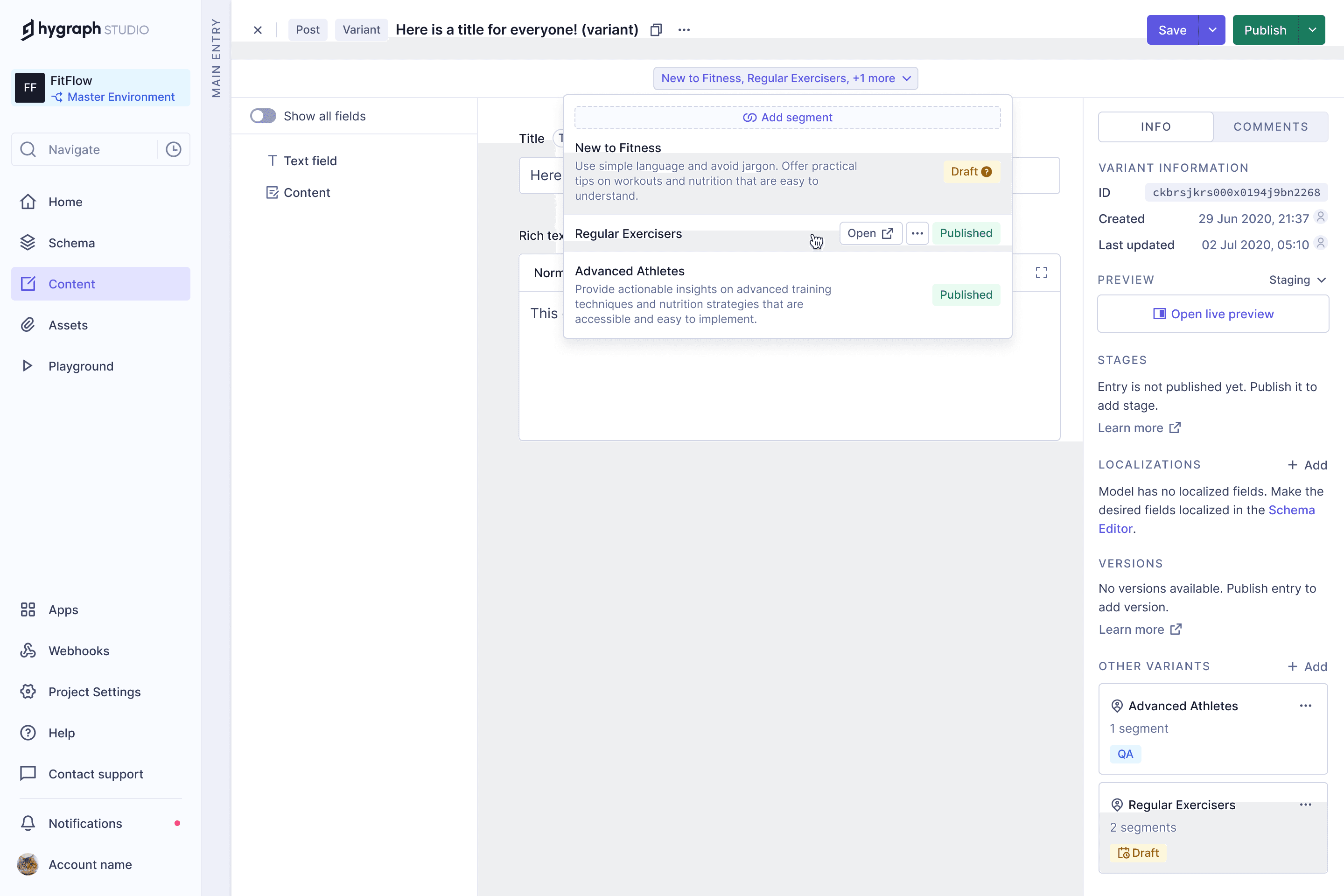
Content Variants let teams personalise content without duplicating entries. A variant overrides only the fields that should change, and is linked to segments, the audiences it's written for.
In the editor, linked segments and their publishing state sit at the top, and the entry's other variants are listed in the sidebar.
Show All Fields
A variant only holds the fields it changes for its segment; everything else comes from the main entry.
Show all fields brings the rest of the entry into view, so editors can see the full content their audience gets without leaving the variant.
Content Form with Variants
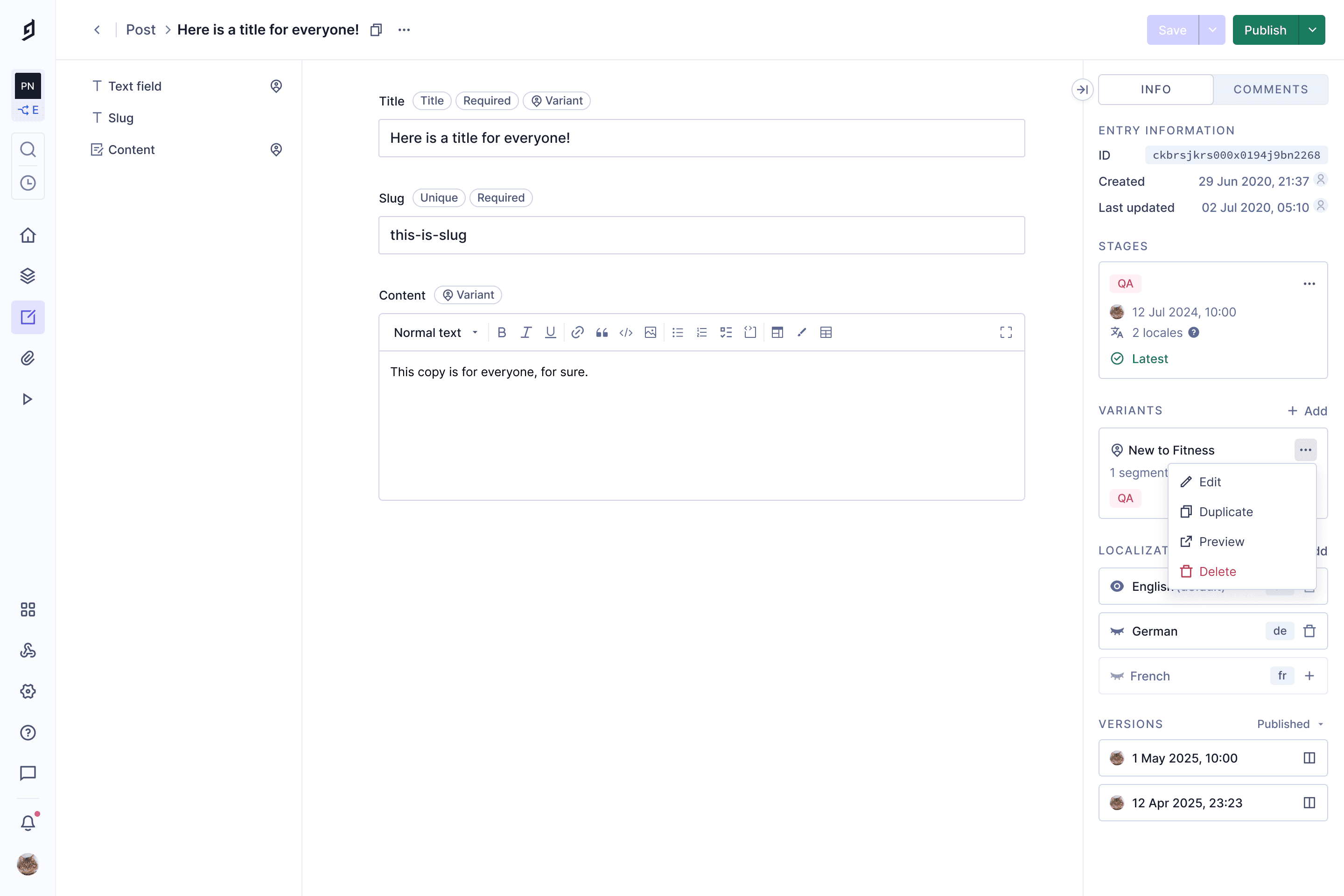
On the main entry, a Variant tag marks the fields that variants can override, and the entry's variants are listed in the sidebar to edit, duplicate, preview or delete.
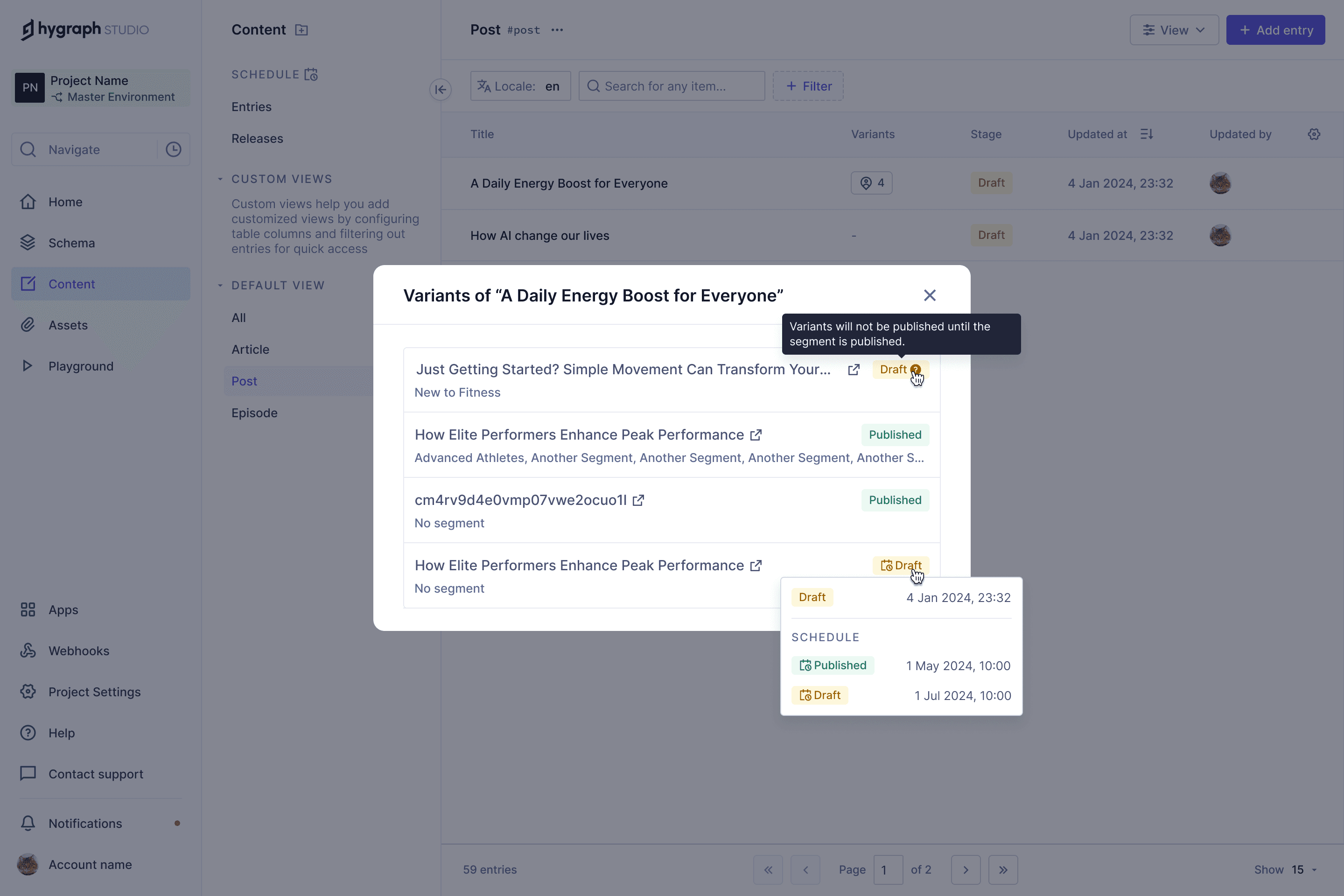
All Entries with Variants
A Variants column in the entry list shows how many variants each entry has. Opening it lists them with their segments and publishing state, including scheduled changes.
Version Comparison · 2024
Comparison Dialog
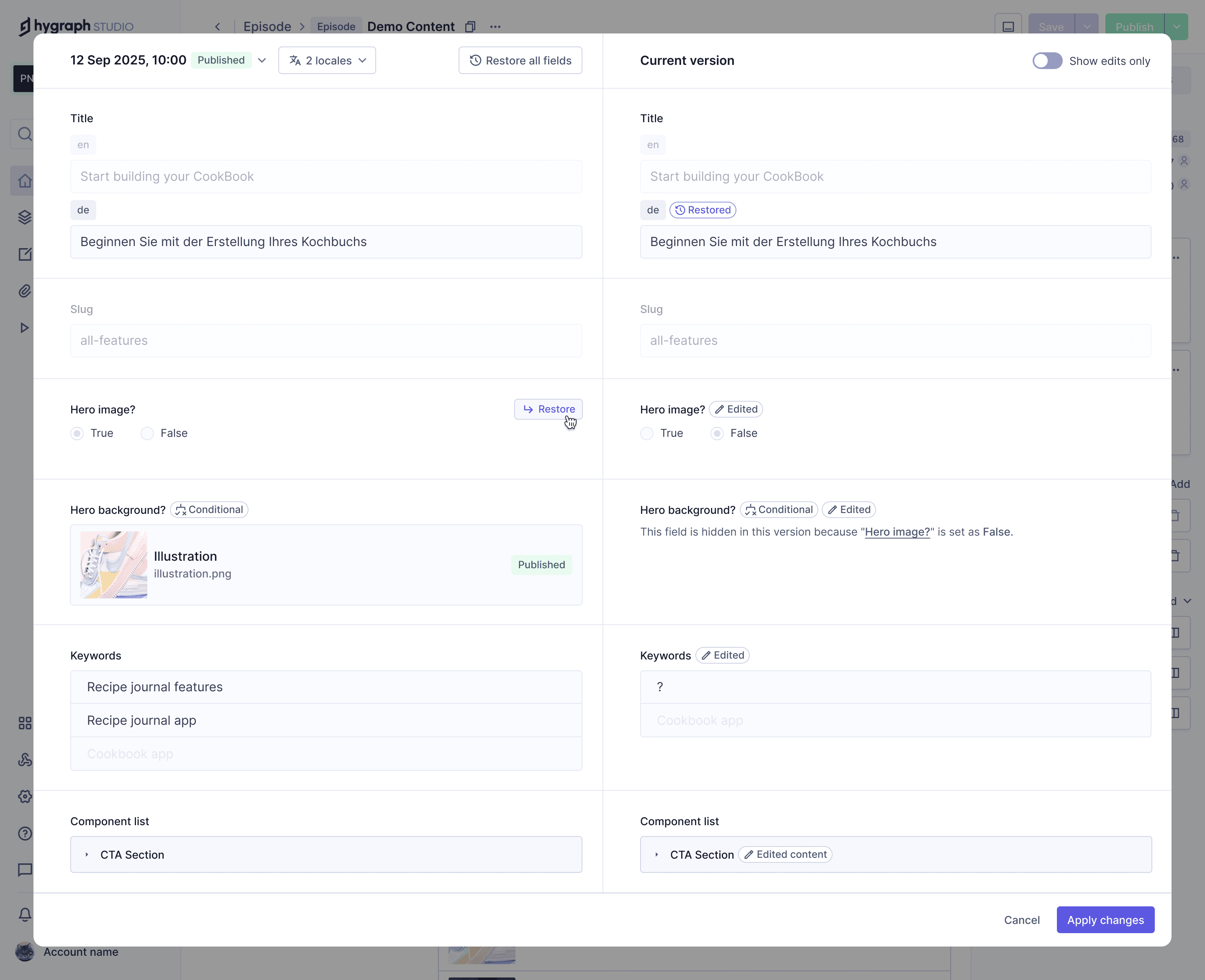
Hygraph saves a version of an entry each time it's published. Version Comparison puts an older version beside the current one, so editors can see what changed and restore single fields or the whole entry.
We redesigned it for Hygraph Studio as part of the Hygraph Rewrite. Before, the fields weren't laid out on a grid, so old and new values didn't line up.
The comparison also opened inside the content form, and a restore replaced the content instantly, with no way back.
Now it opens as a dialog. Restore a field, undo it if you change your mind, and nothing reaches the content form until you press Apply changes.
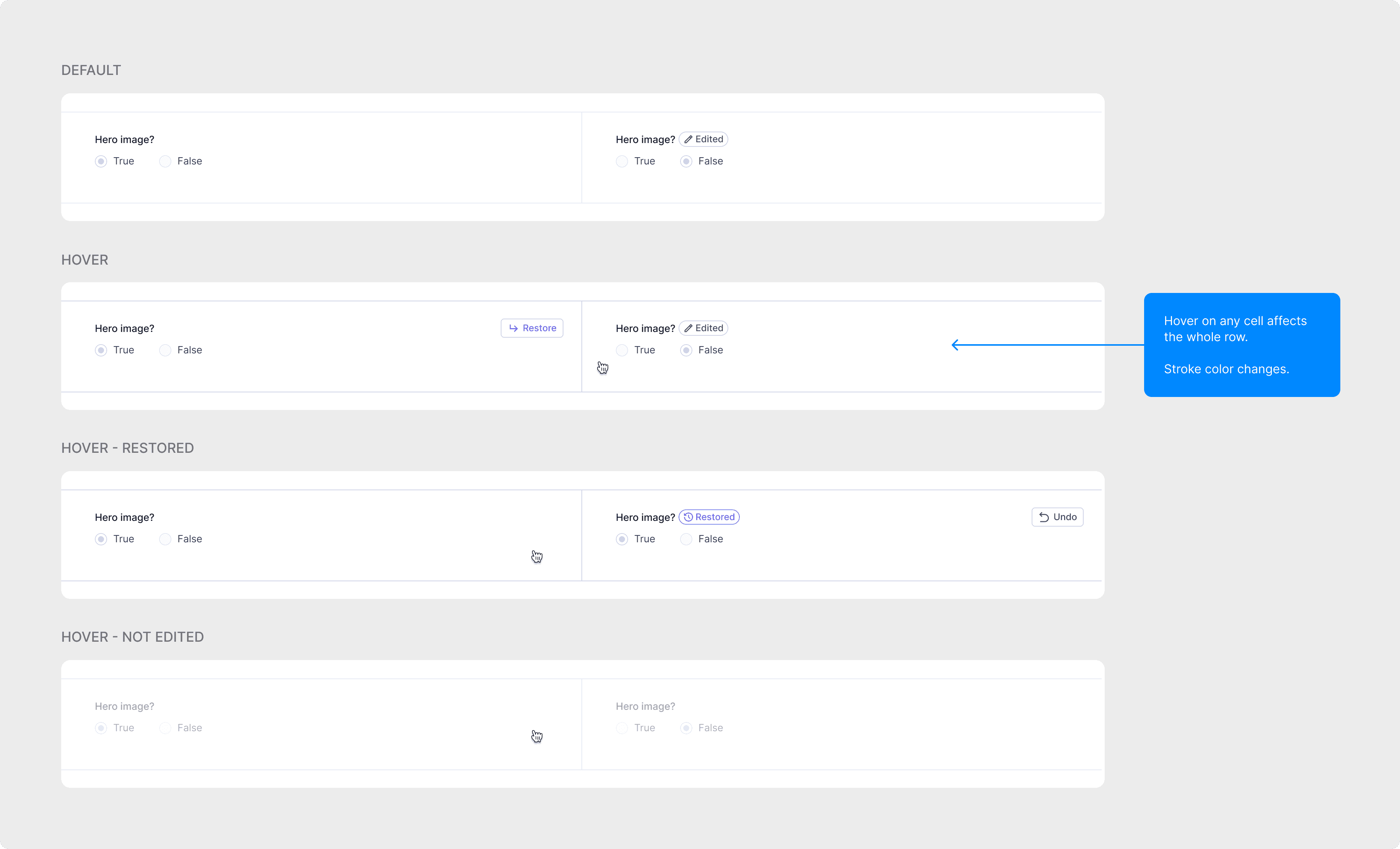
Comparison Row States
Every field row now has clear states: Edited and Restored badges, with Restore and Undo on hover.
Hovering any cell highlights the whole row, so it's obvious which old and new values belong together.
Baukasten 2.0 Design System · 2024
Storybook ↗Articles
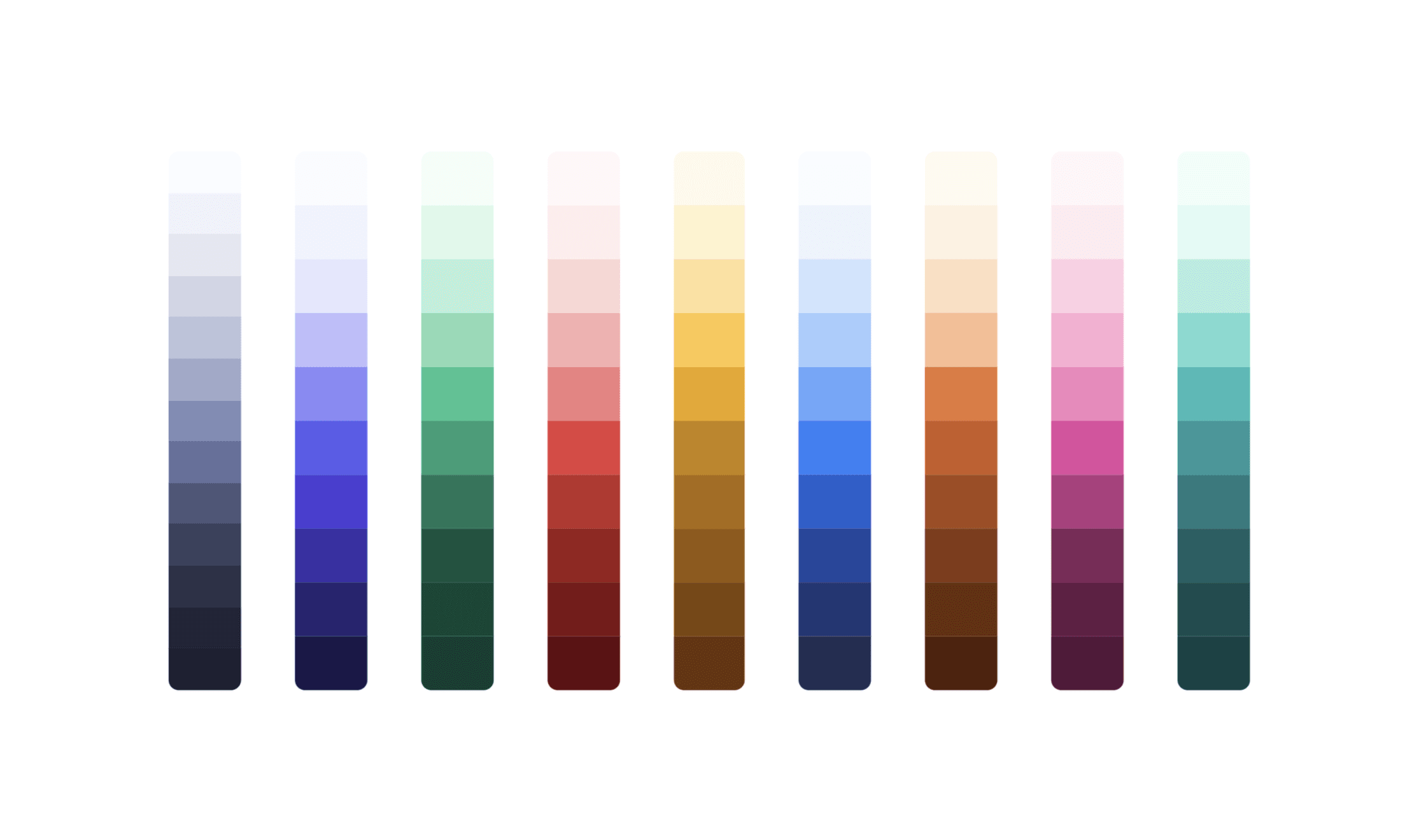
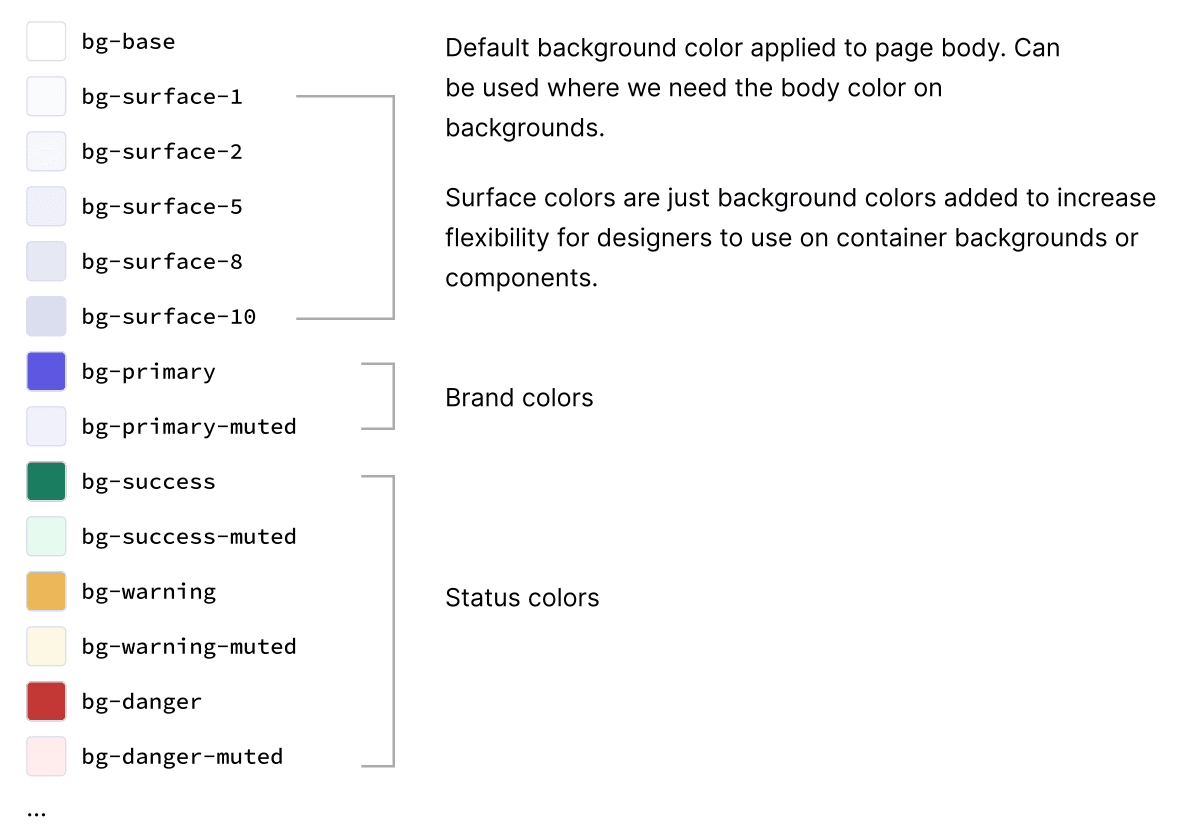
How the color system, tokens and components of Baukasten 2.0 came together.
Governance Process
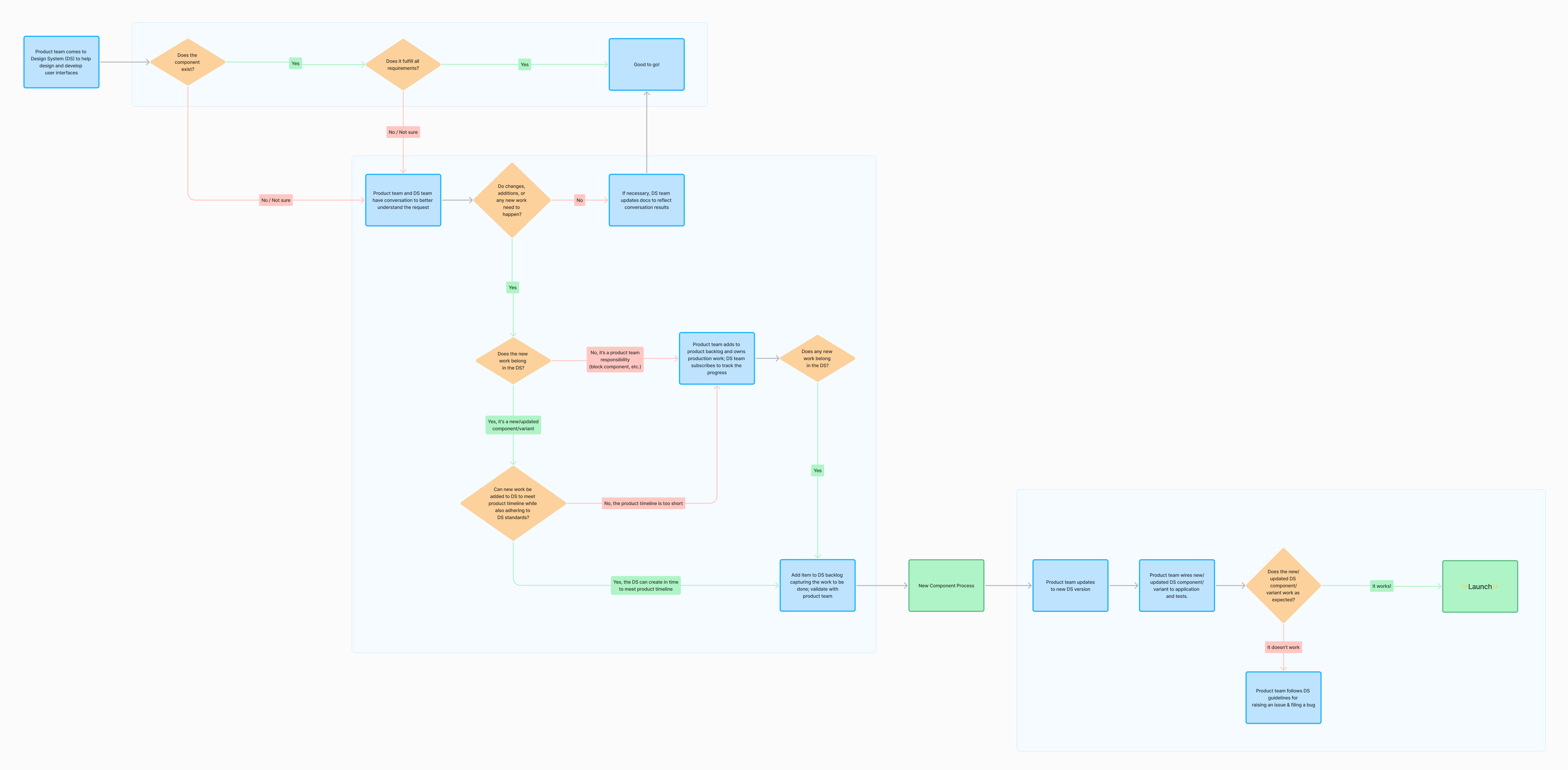
A shared answer to when a product team should use, extend or skip the design system.
If a component is missing or falls short, both teams decide whether it belongs in the system and fits the timeline. If it does, it goes to the DS backlog; if not, the product team builds it.
Button Inventory
Every component rebuild started with an inventory. For buttons, that meant every variant and prop we had, every place they were used in the product, and the edge cases each one had to handle.
Next to it, how Atlassian, GitHub, NordHealth, Material and Spectrum solve the same problems, which shaped the new API.
Superpeer
Product Designer · 2020–2021 · 1.5 years
At Superpeer (acquired by Skillshare), I worked on user research, user flows, wireframes, interfaces and prototypes for new features, iterating on designs based on business requirements, technical constraints and user feedback.